logo

User Permissions

1

Select 'Settings' on the navigation bar
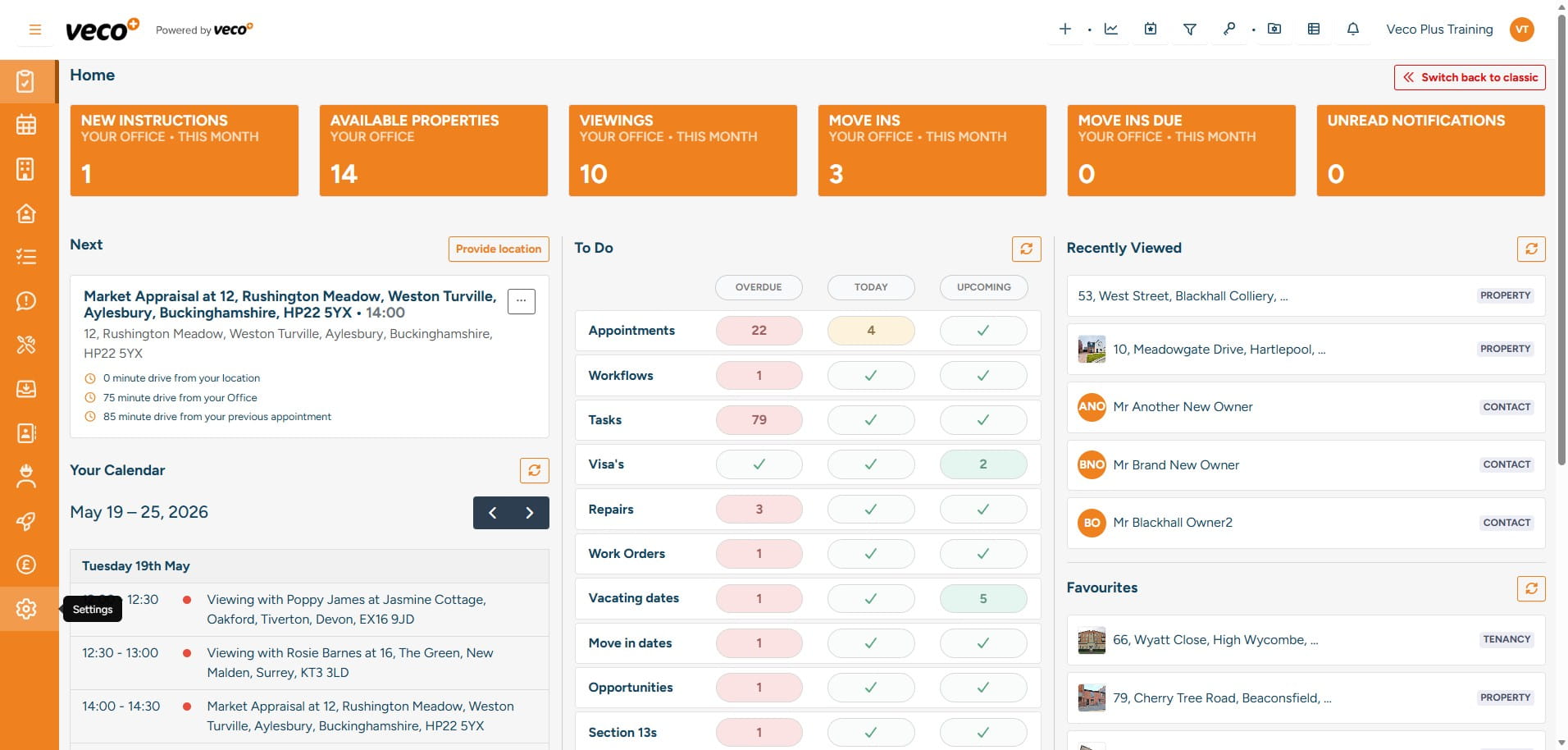
Select 'Settings' on the navigation bar
2

Select 'Users' from the left hand menu
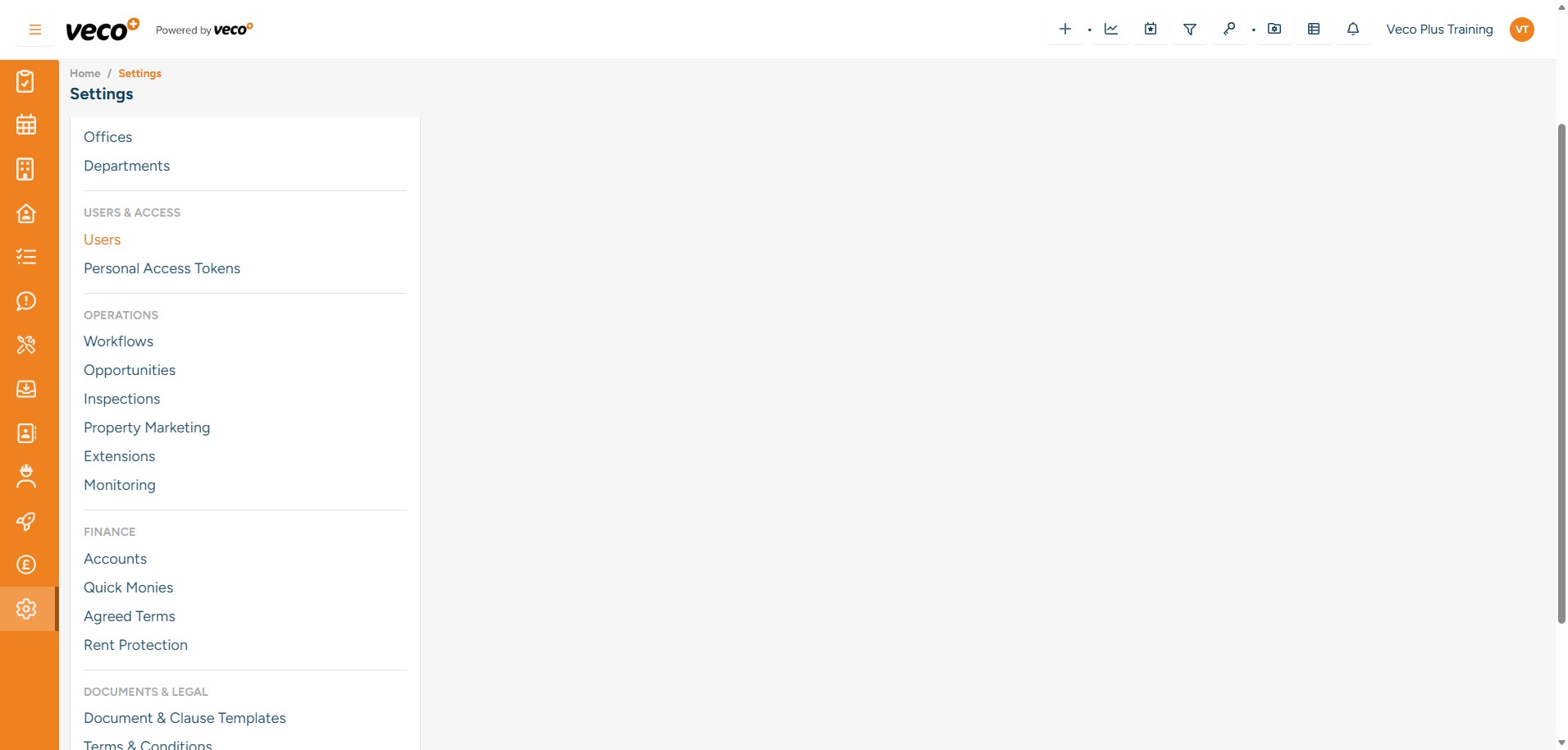
Select 'Users' from the left hand menu
3

Next, select the user that you need to update
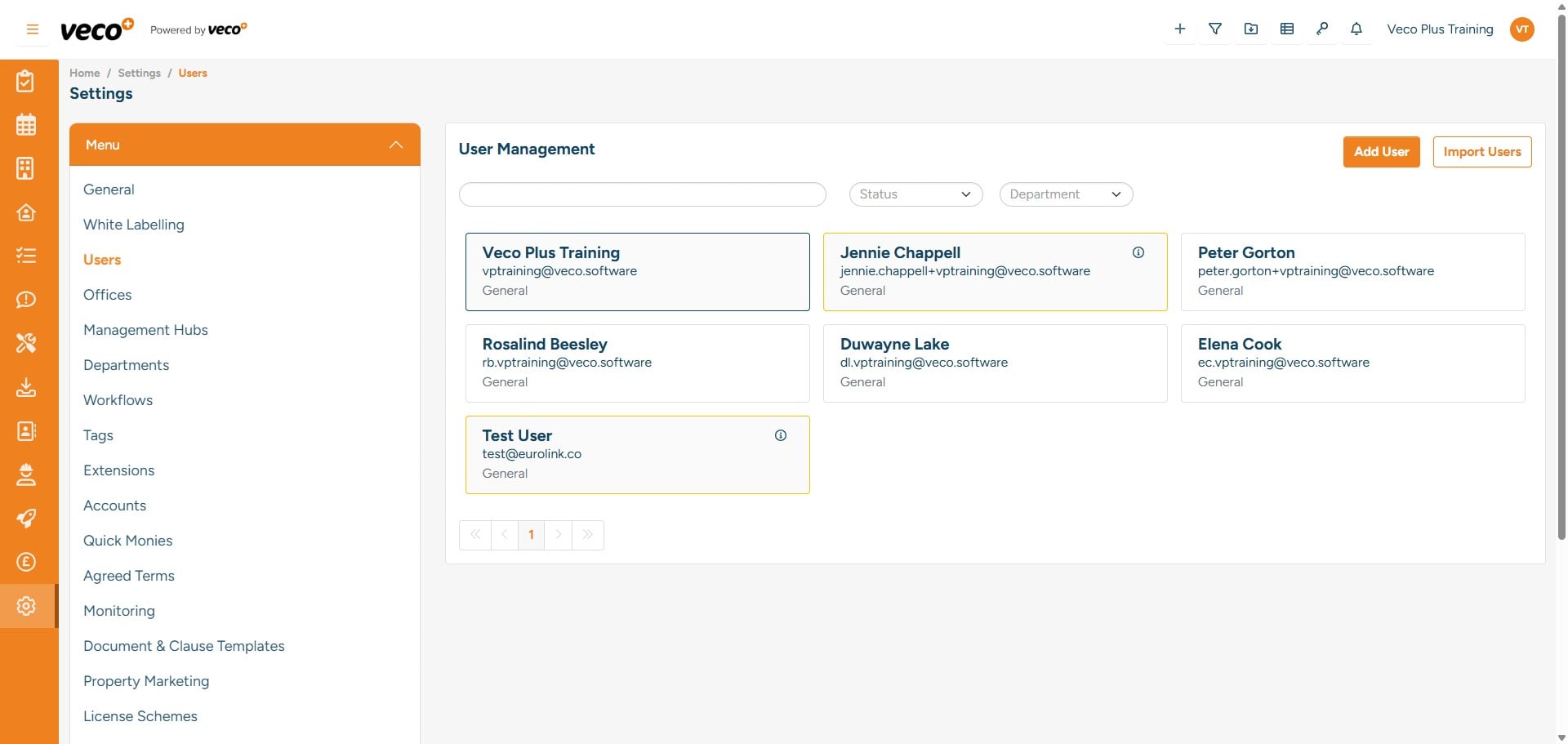
Next, select the user that you need to update
4

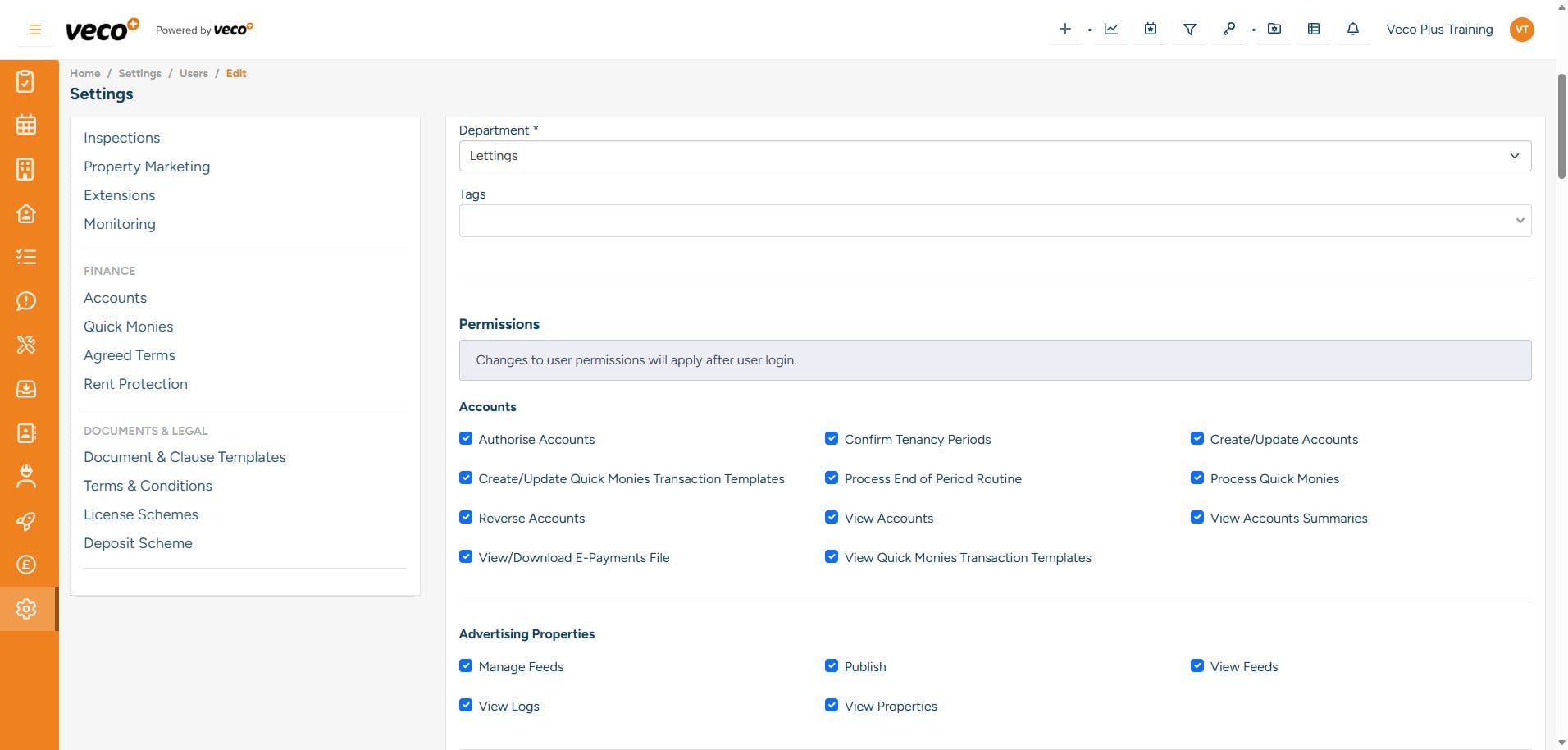
Scroll down to the 'Permissions' section

Scroll down to the 'Permissions' section
5

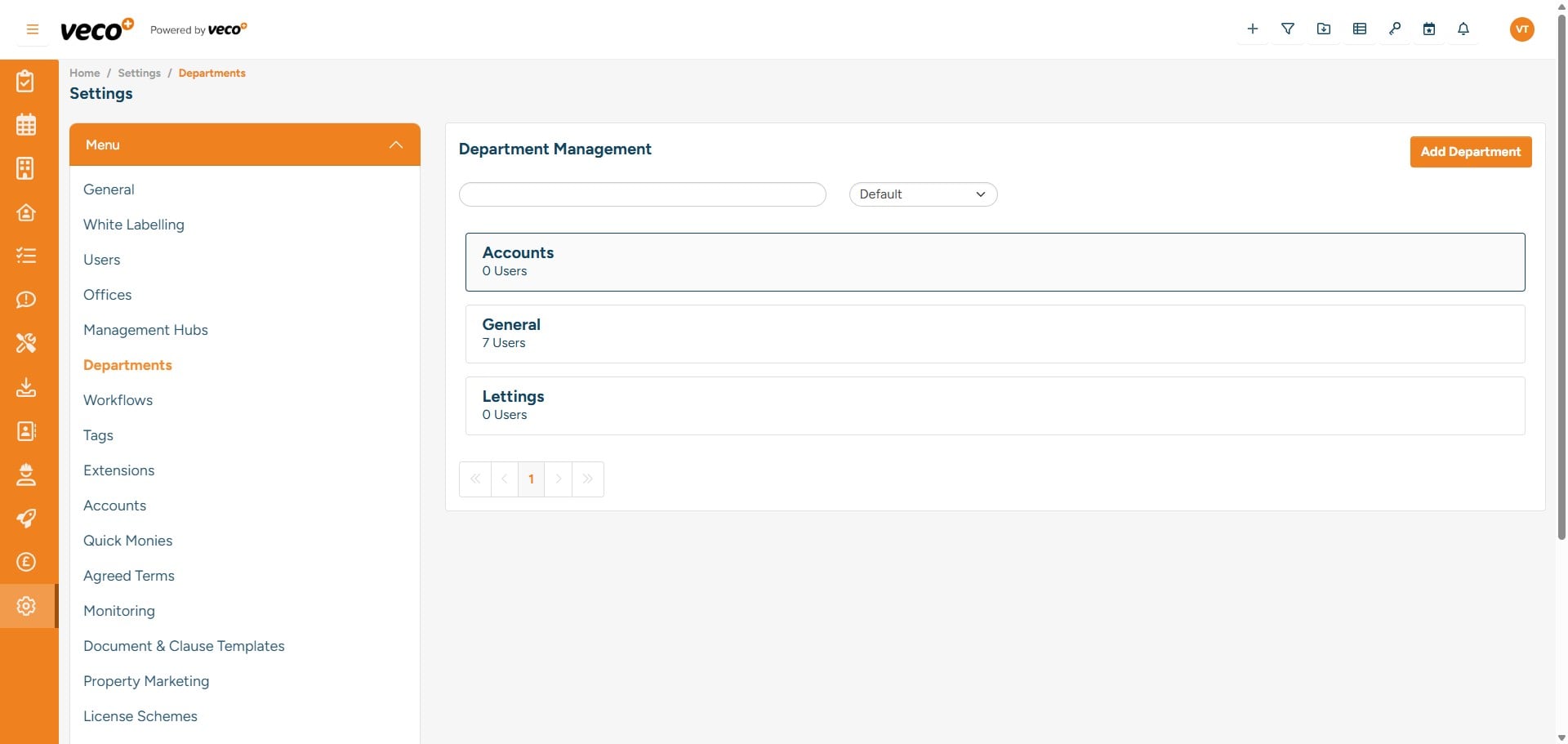
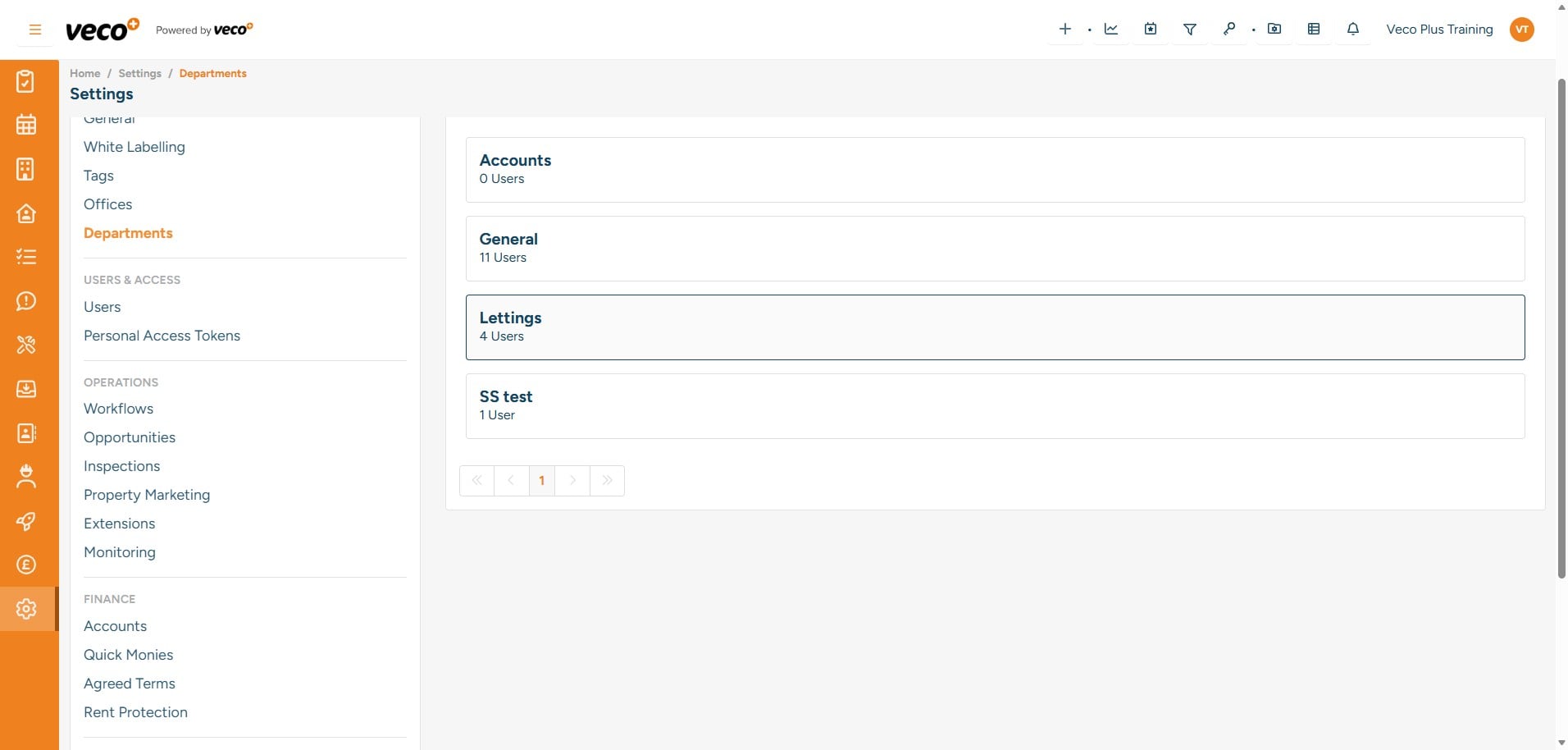
Alternatively, in the settings, you can select Departments and add user permissions for the whole department

Alternatively, in the settings, you can select Departments and add user permissions for the whole department
6

When you add a new user to a department, they will automatically be assigned all permissions selected for that particular department
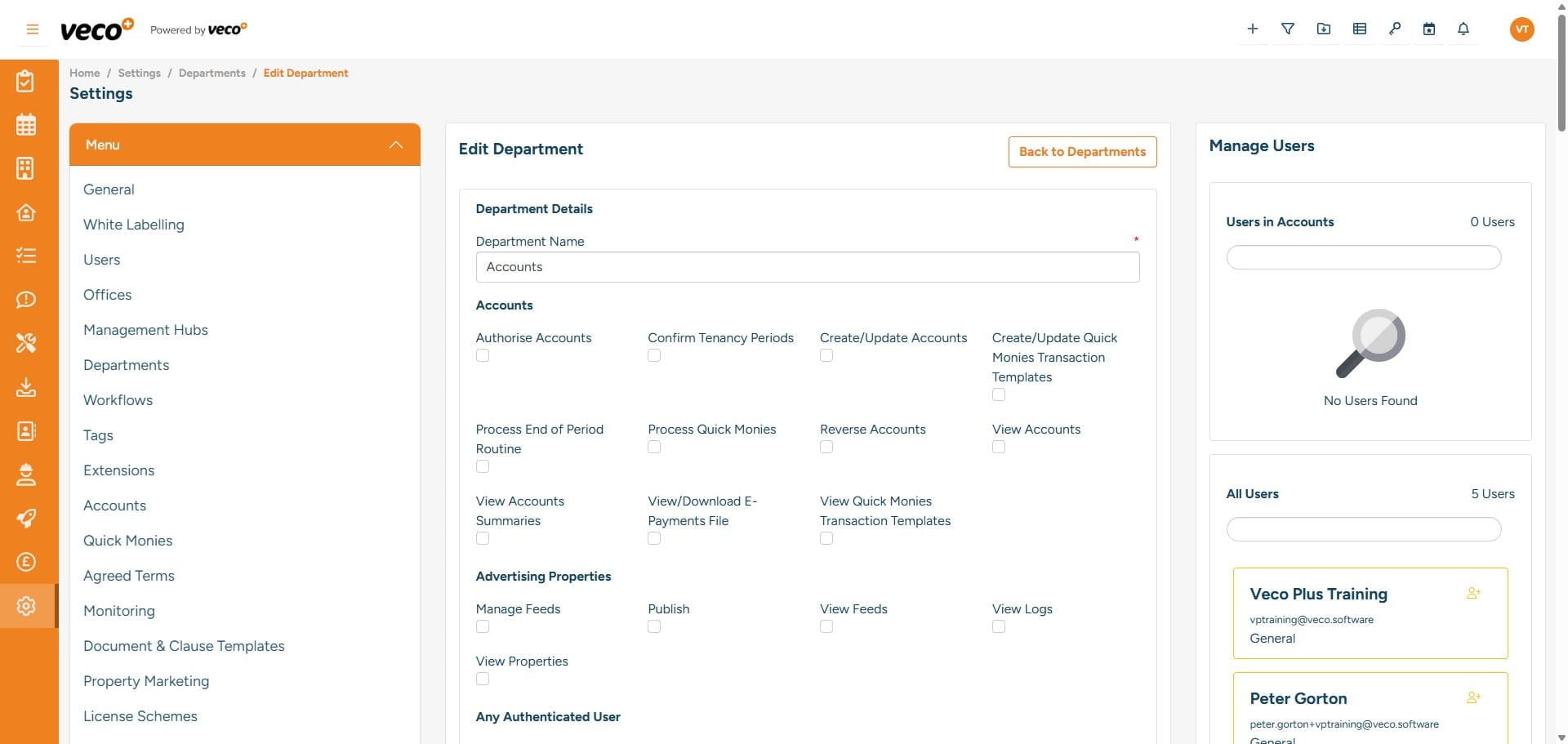
When you add a new user to a department, they will automatically be assigned all permissions selected for that particular department
7

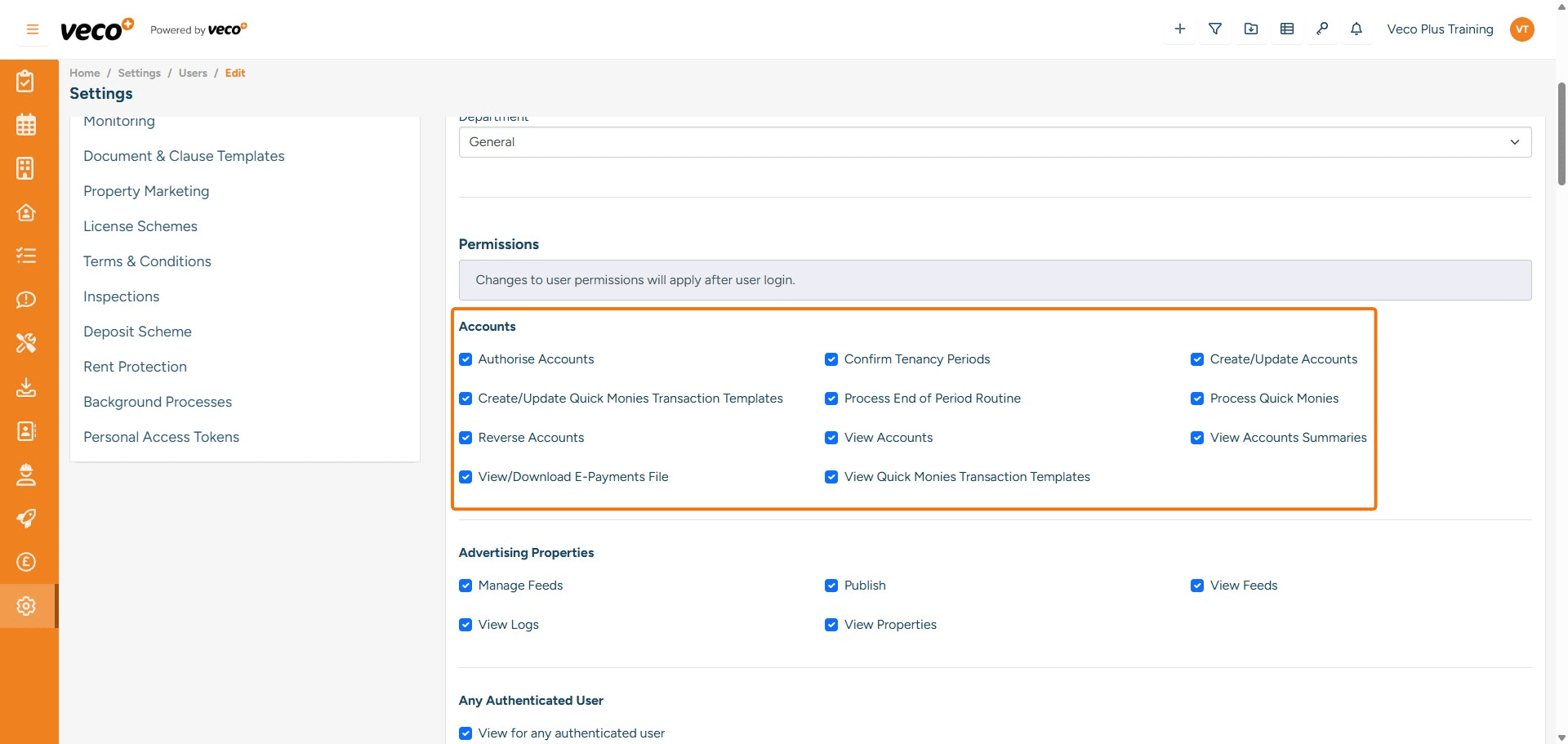
Accounts

Authorise Accounts - Enables a user to authorise accounts on a tenancy period, which then allows allocations to be made between transactions Confirm Tenancy Periods - Enables a user to confirm the tenancy period Create/Update Accounts - Enables a user to access the Accounts Settings. If this is not ticked, the 'Accounts' section will not show in the list in Settings Create/Update Quick Monies Transaction Templates - Enables a user to create and update templates for Quick Monies. If this is not ticked, it will lock the save button Process Month End Routine - Enables a user to run the month-end process. If this is not ticked, it will state you are not authorised to perform this action Process Quick Monies - Enables a user to process Quick Monies and create transactions using the Quick Monies templates. If this is not ticked, it will lock the save button Reverse Accounts - Enables a user to reverse transactions that have been posted View Accounts - Enables a user to load the Accounts Summary on the Ownership and Tenancy. If not ticked, the user will not be able to view the account summary, and it will also hide transactions when selecting Accounts on the navigation bar View Accounts Summaries - Enables a user to view the Owner/Tenant's Accounts Summary View/Download E-Payments File - Enables a user to view and download the E-Payments export file View Quick Monies Transaction Template - Enables a user to view Quick Monies Templates under 'Quick Monies' in Settings. If this is not ticked, it will state you have incorrect permissions when selecting a Quick Monies Template

## **Accounts**
**Authorise Accounts** - Enables a user to authorise accounts on a tenancy period, which then allows allocations to be made between transactions
**Confirm Tenancy Periods** - Enables a user to confirm the tenancy period
**Create/Update Accounts** - Enables a user to access the Accounts Settings. If this is not ticked, the 'Accounts' section will not show in the list in Settings
**Create/Update Quick Monies Transaction Templates** - Enables a user to create and update templates for Quick Monies. If this is not ticked, it will lock the save button
**Process Month End Routine** - Enables a user to run the month-end process. If this is not ticked, it will state you are not authorised to perform this action
**Process Quick Monies** - Enables a user to process Quick Monies and create transactions using the Quick Monies templates. If this is not ticked, it will lock the save button
**Reverse Accounts** - Enables a user to reverse transactions that have been posted
**View Accounts** - Enables a user to load the Accounts Summary on the Ownership and Tenancy. If not ticked, the user will not be able to view the account summary, and it will also hide transactions when selecting Accounts on the navigation bar
**View Accounts Summaries** - Enables a user to view the Owner/Tenant's Accounts Summary
**View/Download E-Payments File** - Enables a user to view and download the E-Payments export file
**View Quick Monies Transaction Template** - Enables a user to view Quick Monies Templates under 'Quick Monies' in Settings. If this is not ticked, it will state you have incorrect permissions when selecting a Quick Monies Template
8

Advertising Properties

Manage Feeds - Enables a user to add a new feed in Advertising Publish - Enables a user to publish properties to the portals. If this is not ticked, the Publish button will be locked View Feeds - Enables a user to see the feeds when in Advertising View Logs - Enables a user to view logs in Advertising View Properties - Enables a user to view a list of all properties that have been published to the portals in Advertising
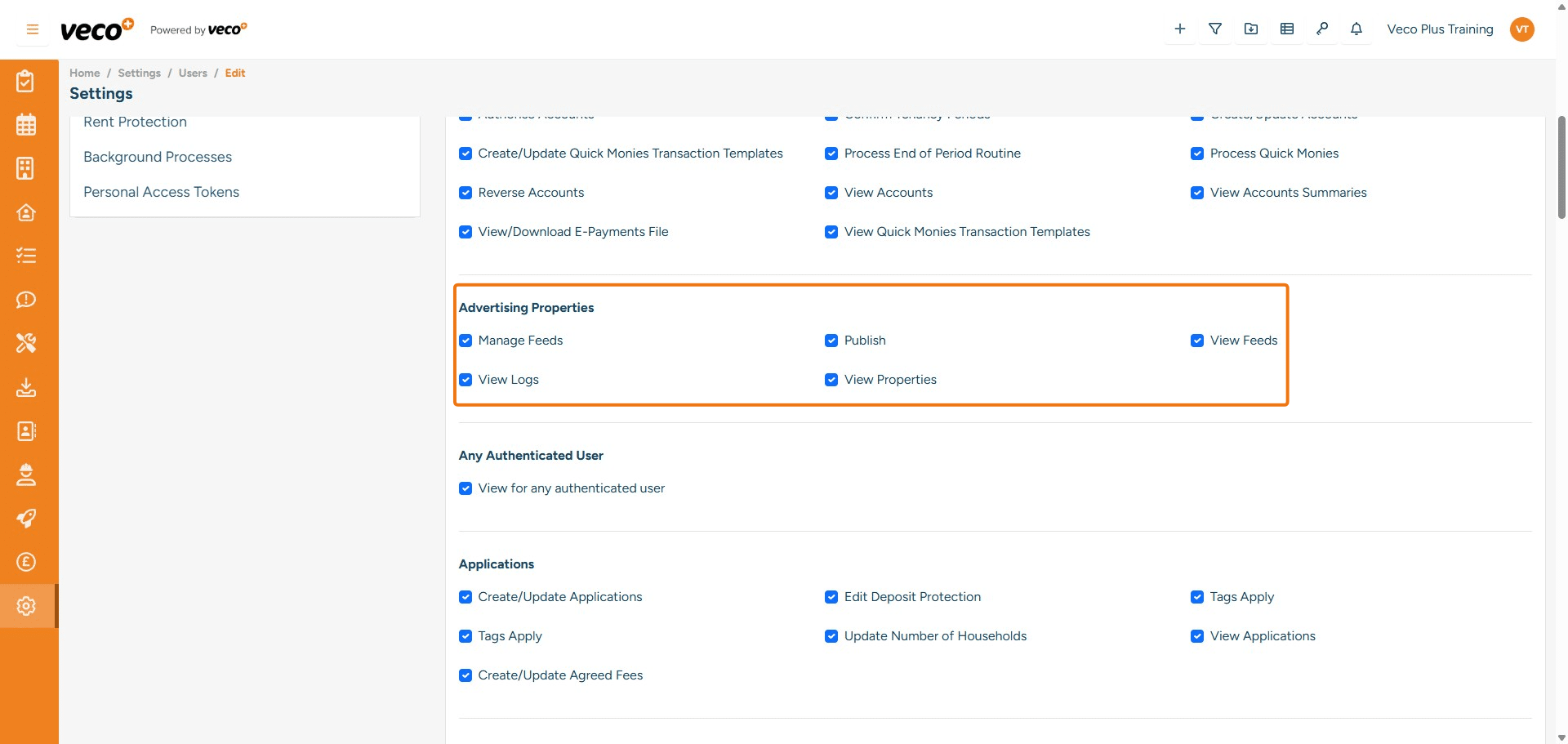
## **Advertising Properties**
**Manage Feeds** - Enables a user to add a new feed in Advertising
 **Publish** - Enables a user to publish properties to the portals. If this is not ticked, the Publish button will be locked
 **View Feeds** - Enables a user to see the feeds when in Advertising
 **View Logs** - Enables a user to view logs in Advertising
 **View Properties** - Enables a user to view a list of all properties that have been published to the portals in Advertising
9

Any Authenticated User

View for any authenticated user - This permission can be ignored, please leave not ticked
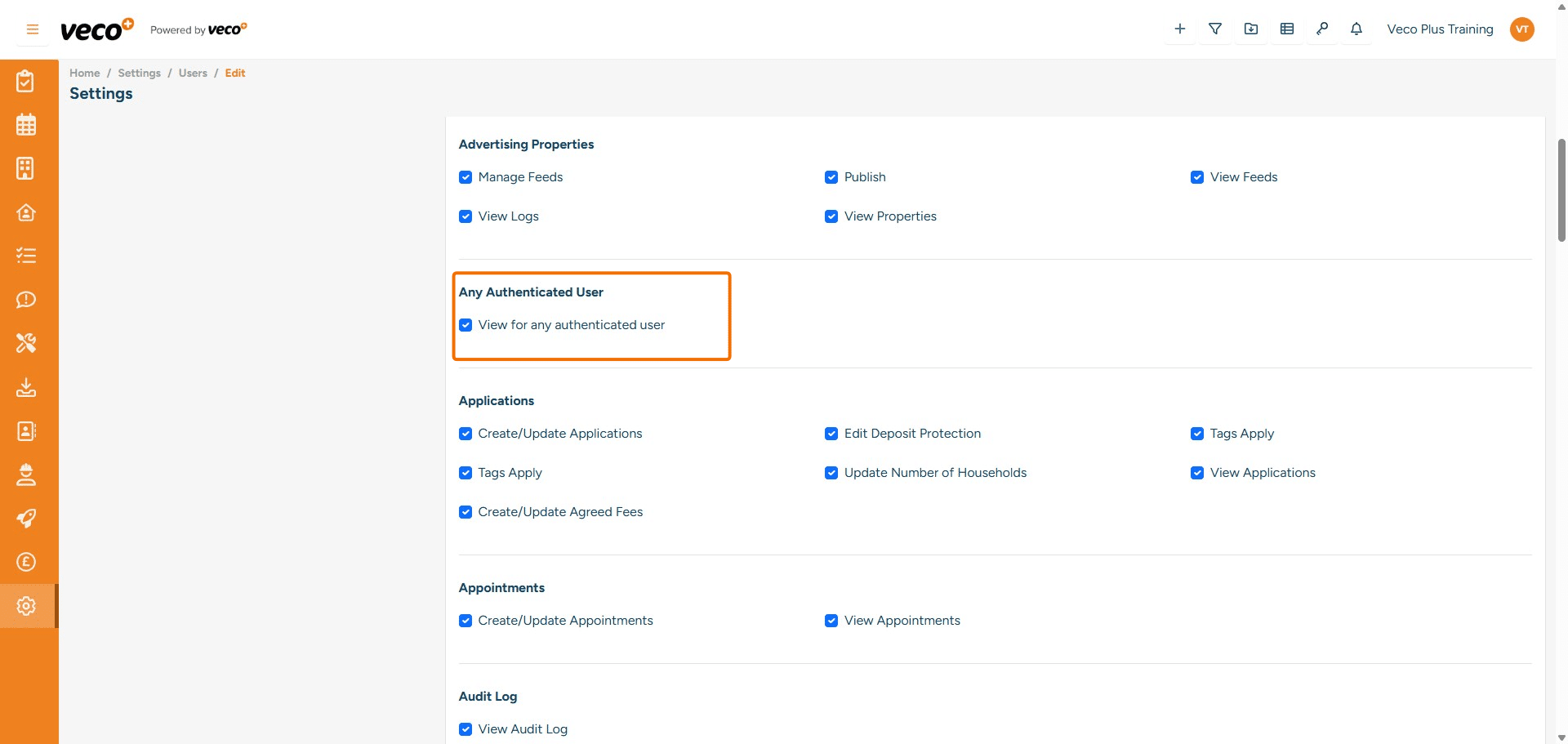
## **Any Authenticated User**
**View for any authenticated user** - This permission can be ignored, please leave not ticked
10

Applications

Create/Update Applications - Enables a user to create and update an Application Edit Deposit Protection - Enables a user to edit the Deposit Protection on the Application. If this is not ticked, the save button will be locked Tags Apply - Enables a user to add tags. If this is not ticked, the user will not be able to view the drop-down list of tags Update Number Of Holdholds - Enables a user to add the number of households on an Application. If this is not ticked, it will state you do not have the permissions to add this on save View Applications - Enables a user to view all Applications. If not ticked, it will show Incorrect Permissions Create/Update Agreed Fees - Enables a user to create and update Agreed Fees on an Application. If this is not ticked, it will state that you are not authorised to perform this action
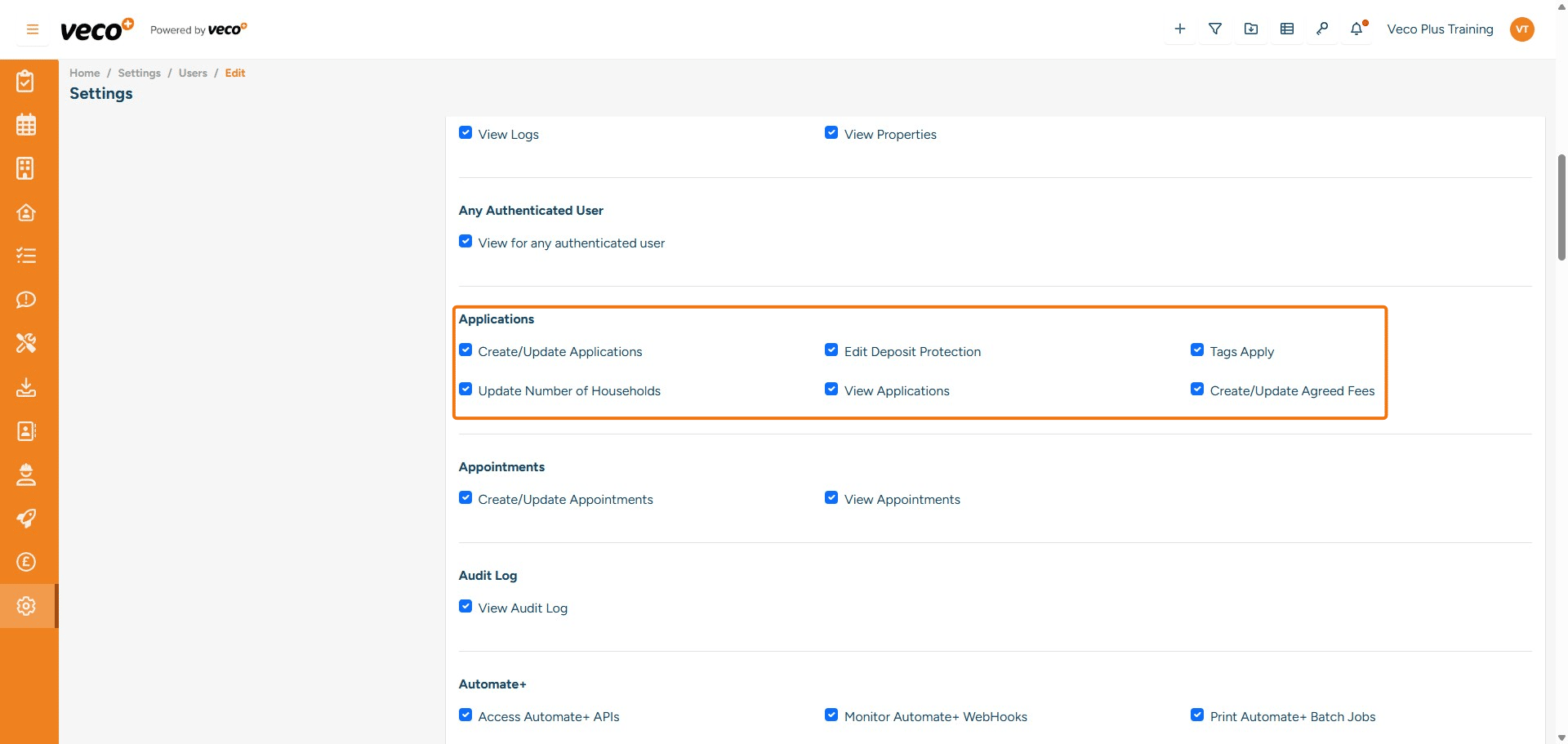
## **Applications**
**Create/Update Applications** - Enables a user to create and update an Application
**Edit Deposit Protection** - Enables a user to edit the Deposit Protection on the Application. If this is not ticked, the save button will be locked
**Tags Apply** - Enables a user to add tags. If this is not ticked, the user will not be able to view the drop-down list of tags
**Update Number Of Holdholds** - Enables a user to add the number of households on an Application. If this is not ticked, it will state you do not have the permissions to add this on save
**View Applications** - Enables a user to view all Applications. If not ticked, it will show Incorrect Permissions
**Create/Update Agreed Fees** - Enables a user to create and update Agreed Fees on an Application. If this is not ticked, it will state that you are not authorised to perform this action
11

Appointments

Create/Update Appointments - Enables a user to create and update an Appointment. If this is not ticked, the save button will be locked View Appointments - Enables a user to view appointments in the calendar. If this is not ticked, the calendar will be empty
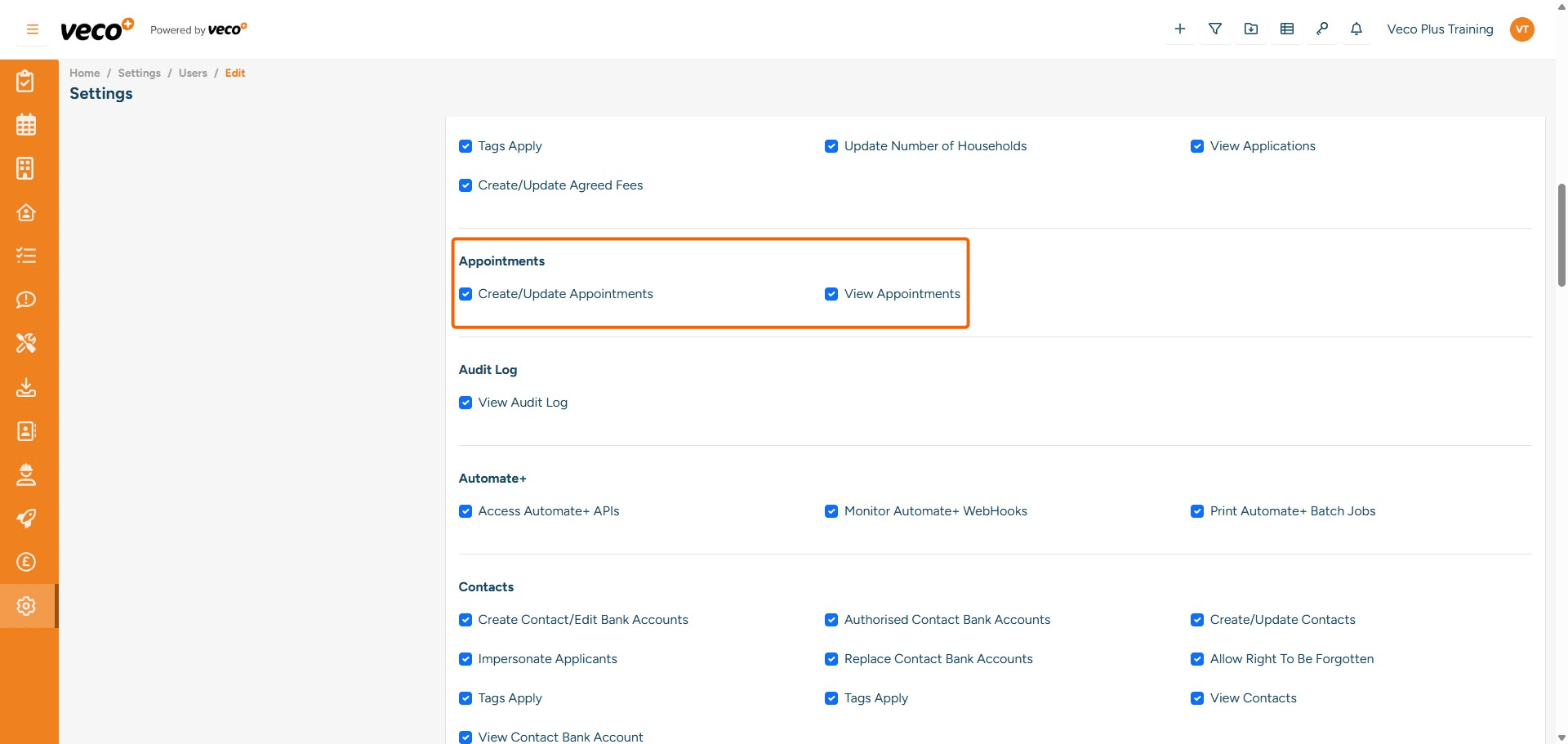
## Appointments
**Create/Update Appointments** - Enables a user to create and update an Appointment. If this is not ticked, the save button will be locked
**View Appointments** - Enables a user to view appointments in the calendar. If this is not ticked, the calendar will be empty
12

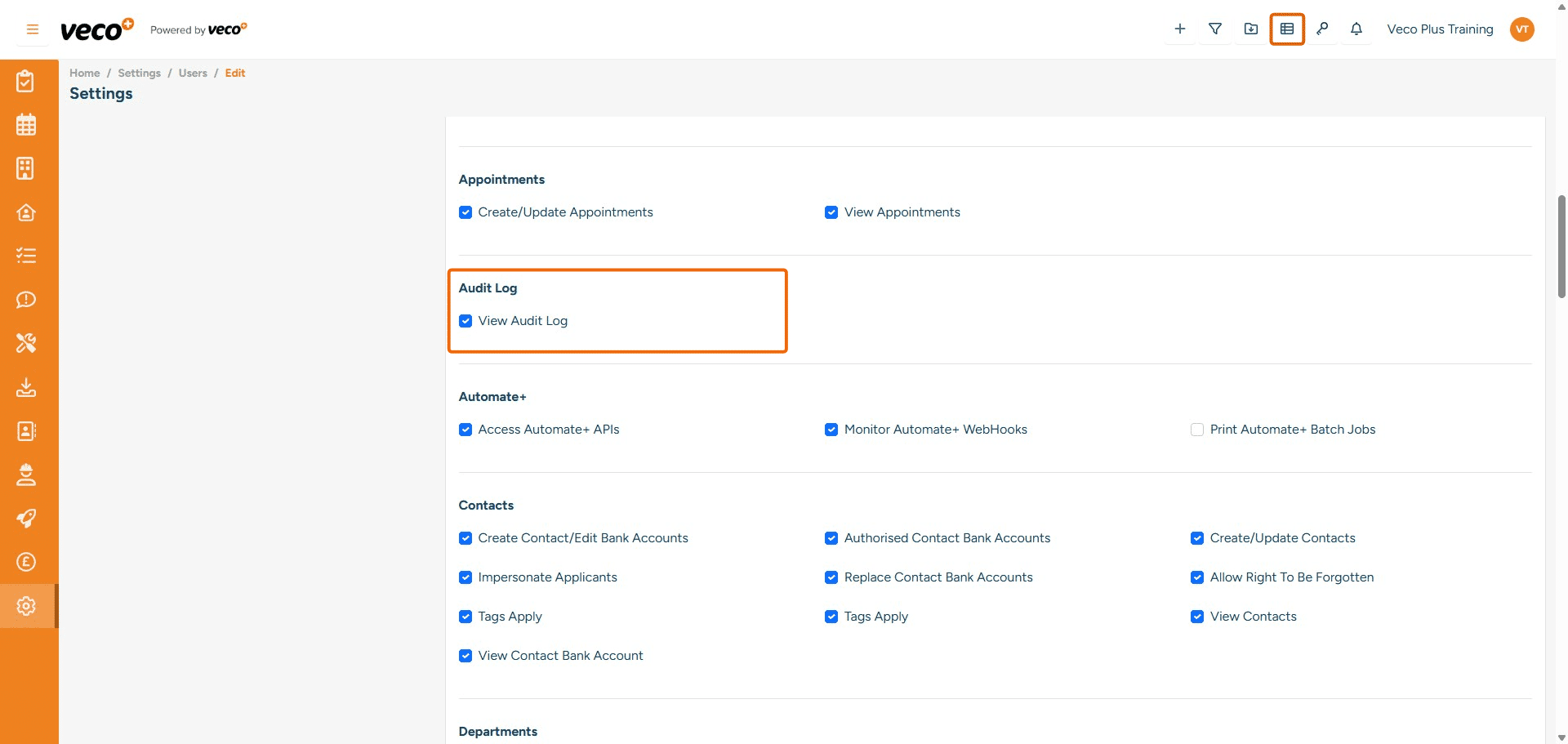
Audit Log

View Audit Log - Enables a user to view an overview of all audit reporting via the 'Activity Timeline' icon in the header bar (marked in the screen shot below). If this is not ticked, then this icon will not appear in the header bar
## Audit Log
**View Audit Log** - Enables a user to view an overview of all audit reporting via the 'Activity Timeline' icon in the header bar (marked in the screen shot below). If this is not ticked, then this icon will not appear in the header bar
13

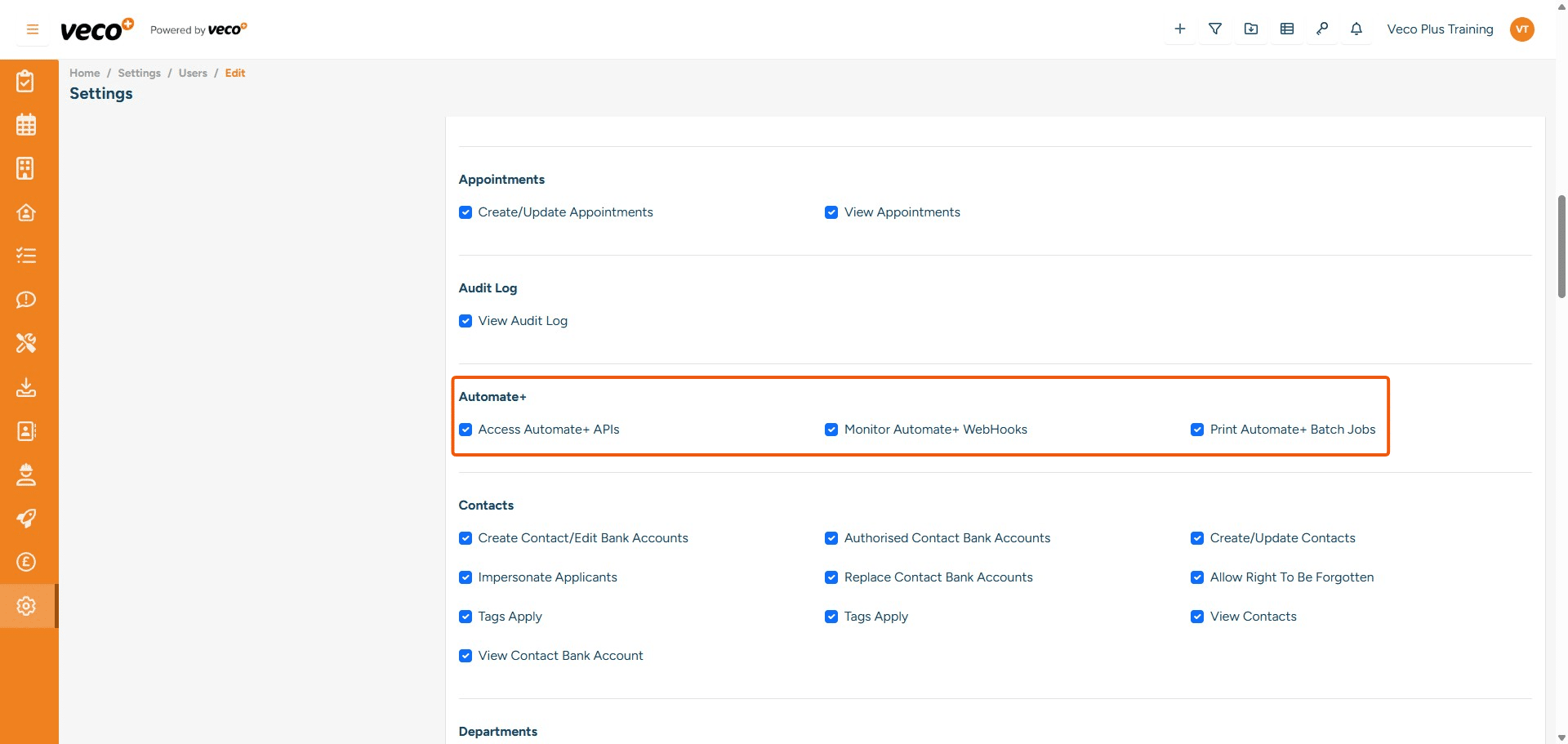
Automate+

Access Automate + APIs - Please leave not ticked Monitor Automate+ Webhooks - Please leave not ticked Print Automate+ Batch Job - Please leave not ticked
## Automate+
**Access Automate + APIs** - Please leave not ticked
**Monitor Automate+ Webhooks** - Please leave not ticked
**Print Automate+ Batch Job** - Please leave not ticked
14

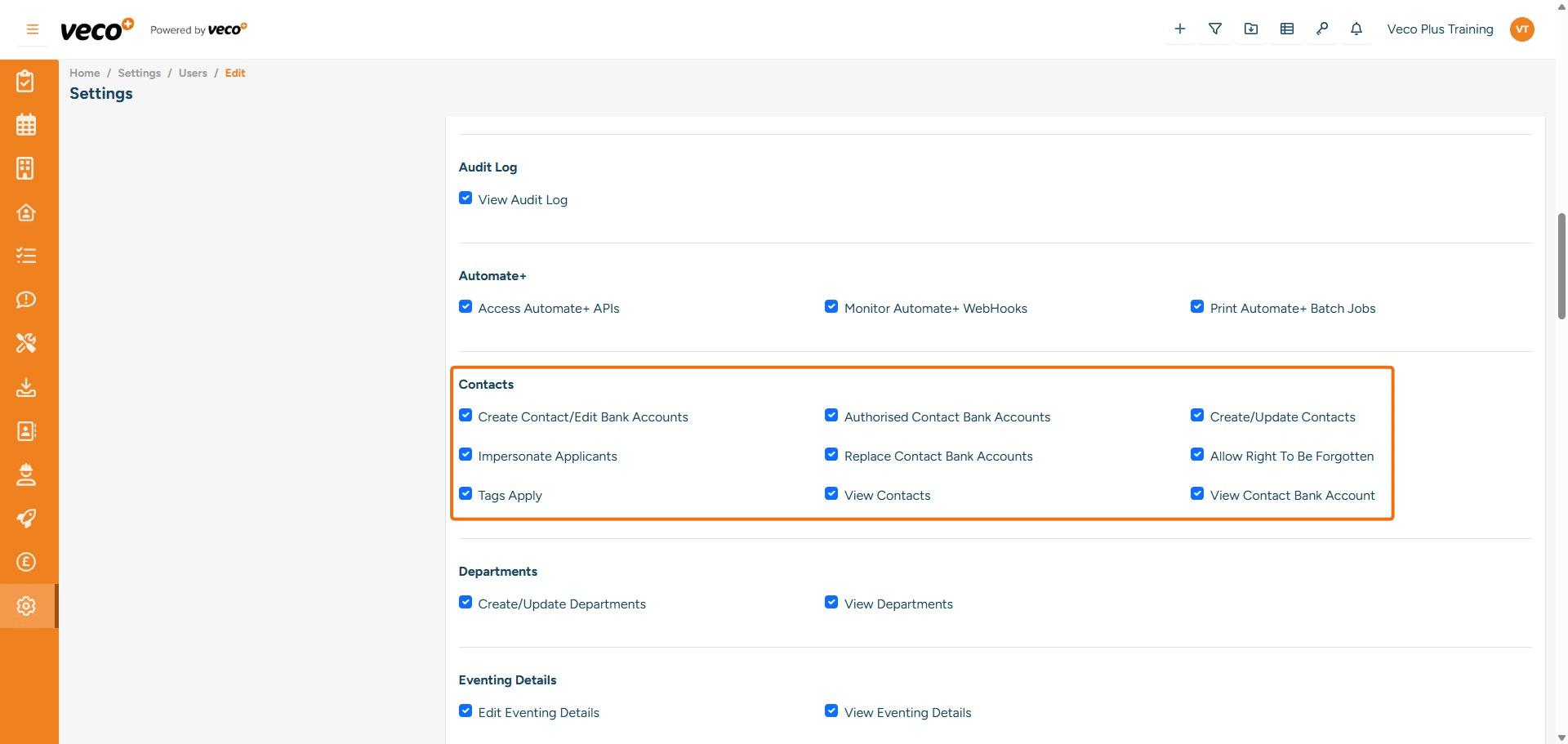
Contacts

Create Contact/Edit Bank Accounts - Enables a user to create and edit contact bank details Authorised Contact Bank Accounts - Enables a user to authorise bank details that another user has added Create/Update Contacts - Enables a user to create and update a contact Impersonate Applicants - Enables a user to impersonate an Applicant so they can view the self-serve app as that Applicant. If this is not ticked, then the Impersonate button is not visible Replace Contact Bank Accounts - Enables a user to replace bank details. If this is not ticked, the save button will be locked Allow Right To Be Forgotten - Enables a user to anonymise a contact. If this is not ticked, it will be locked Tag Apply - Enables a user to add tags to a contact. If this is not ticked, the user will not be able to view the drop-down list of tags View Contacts - Enables a user to view the list of Contacts. If not ticked, it will state you have incorrect permissions View Contact Bank Account - Enables a user to view the contact's full bank account number and sort code. If this is not ticked, it will hide the first few numbers on both the account number and sort code
## Contacts
**Create Contact/Edit Bank Accounts** - Enables a user to create and edit contact bank details
**Authorised Contact Bank Accounts** - Enables a user to authorise bank details that another user has added
**Create/Update Contacts** - Enables a user to create and update a contact
**Impersonate Applicants** - Enables a user to impersonate an Applicant so they can view the self-serve app as that Applicant. If this is not ticked, then the Impersonate button is not visible 
**Replace Contact Bank Accounts** - Enables a user to replace bank details. If this is not ticked, the save button will be locked
**Allow Right To Be Forgotten** - Enables a user to anonymise a contact. If this is not ticked, it will be locked
**Tag Apply** - Enables a user to add tags to a contact. If this is not ticked, the user will not be able to view the drop-down list of tags
**View Contacts** - Enables a user to view the list of Contacts. If not ticked, it will state you have incorrect permissions
**View Contact Bank Account** -  Enables a user to view the contact's full bank account number and sort code. If this is not ticked, it will hide the first few numbers on both the account number and sort code
15

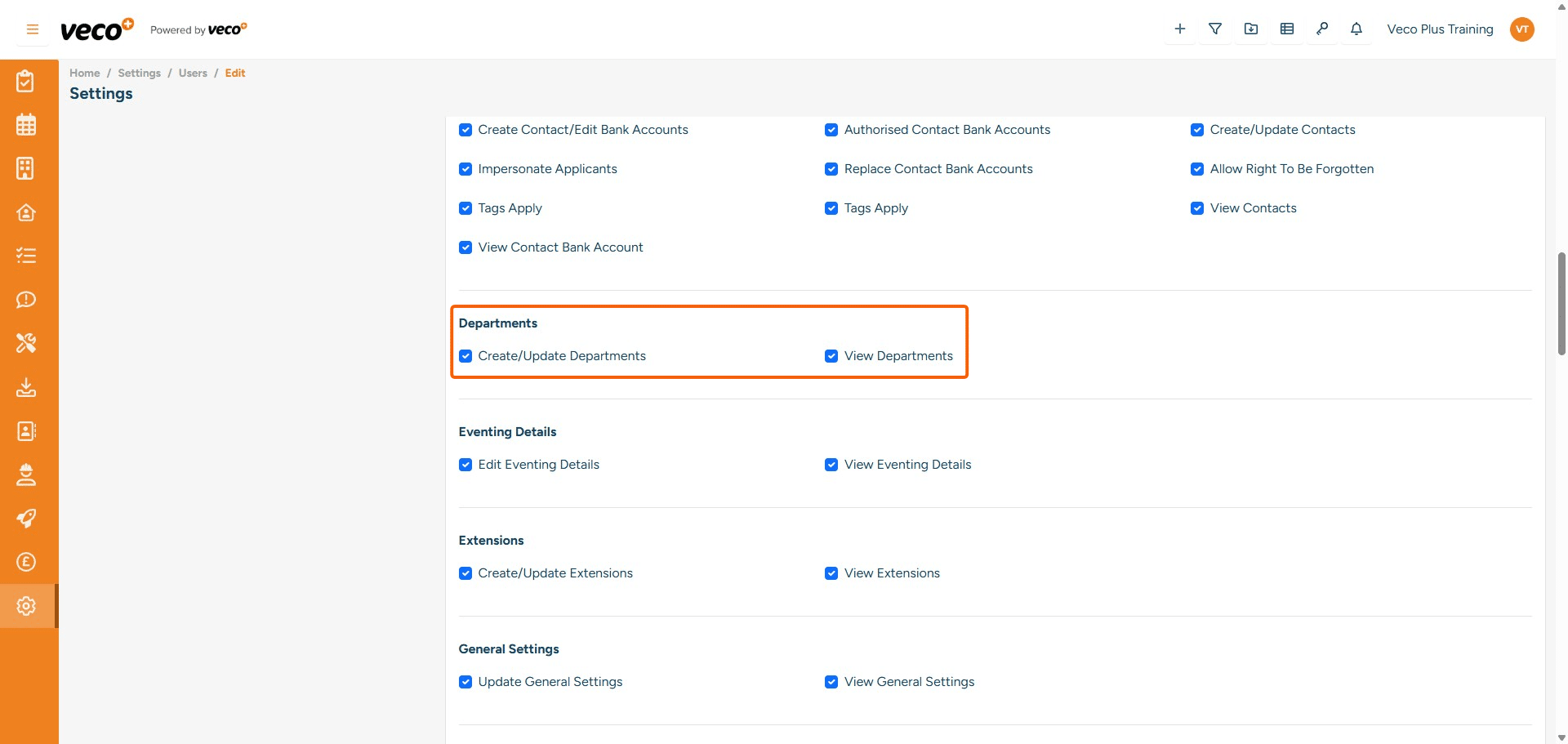
Departments

Create/Update Departments - Enables a user to update and create a Department. If this is not ticked, the save button will be locked View Departments - Enables a user to view a list of departments. If this is not ticked, 'Departments' will be removed from Settings
## Departments
**Create/Update Departments** - Enables a user to update and create a Department. If this is not ticked, the save button will be locked
**View Departments** - Enables a user to view a list of departments. If this is not ticked, 'Departments' will be removed from Settings
16

Eventing Details

Edit Eventing Details - This permission can be ignored, please leave not ticked View Eventing Details - This permission can be ignored, please leave not ticked
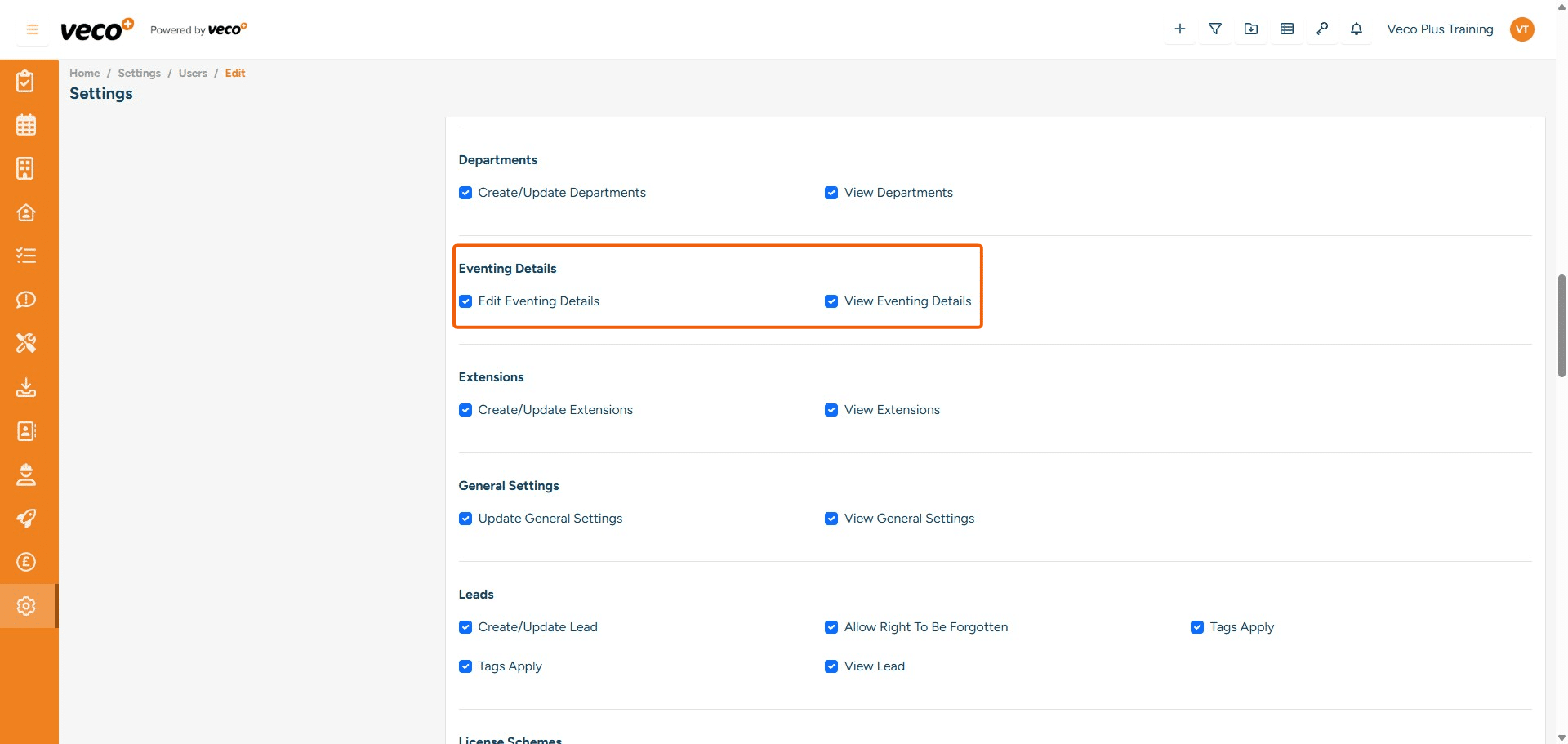
## Eventing Details
**Edit Eventing Details** - This permission can be ignored, please leave not ticked
**View Eventing Details** - This permission can be ignored, please leave not ticked
17

Extensions

Create/Update Extensions - Enables a user to create and update Extensions in Settings. If this is not ticked, the user will only be able to view the Extensions (if set) View Extensions - Enables a user to view Extensions. If this is not ticked, Extensions will not show in Settings
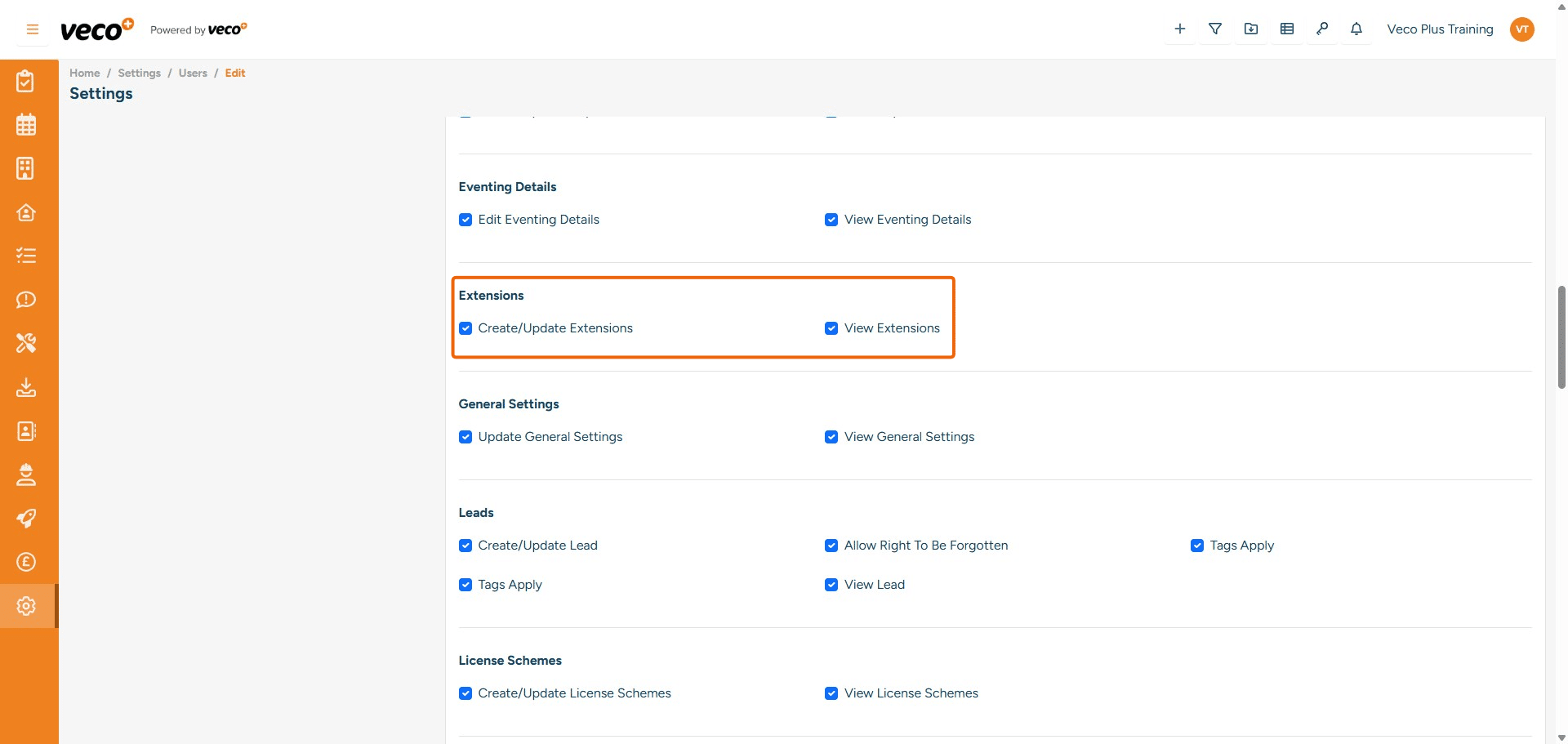
## Extensions
**Create/Update Extensions** - Enables a user to create and update Extensions in Settings. If this is not ticked, the user will only be able to view the Extensions (if set)
**View Extensions** - Enables a user to view Extensions. If this is not ticked, Extensions will not show in Settings
18

General Settings

Update General Settings - Enables a user to update General Settings (under Settings > General). If this is not ticked, then the save button will be locked View General Settings - Enables a user to view General Settings. If this is not ticked, General will not show in Settings
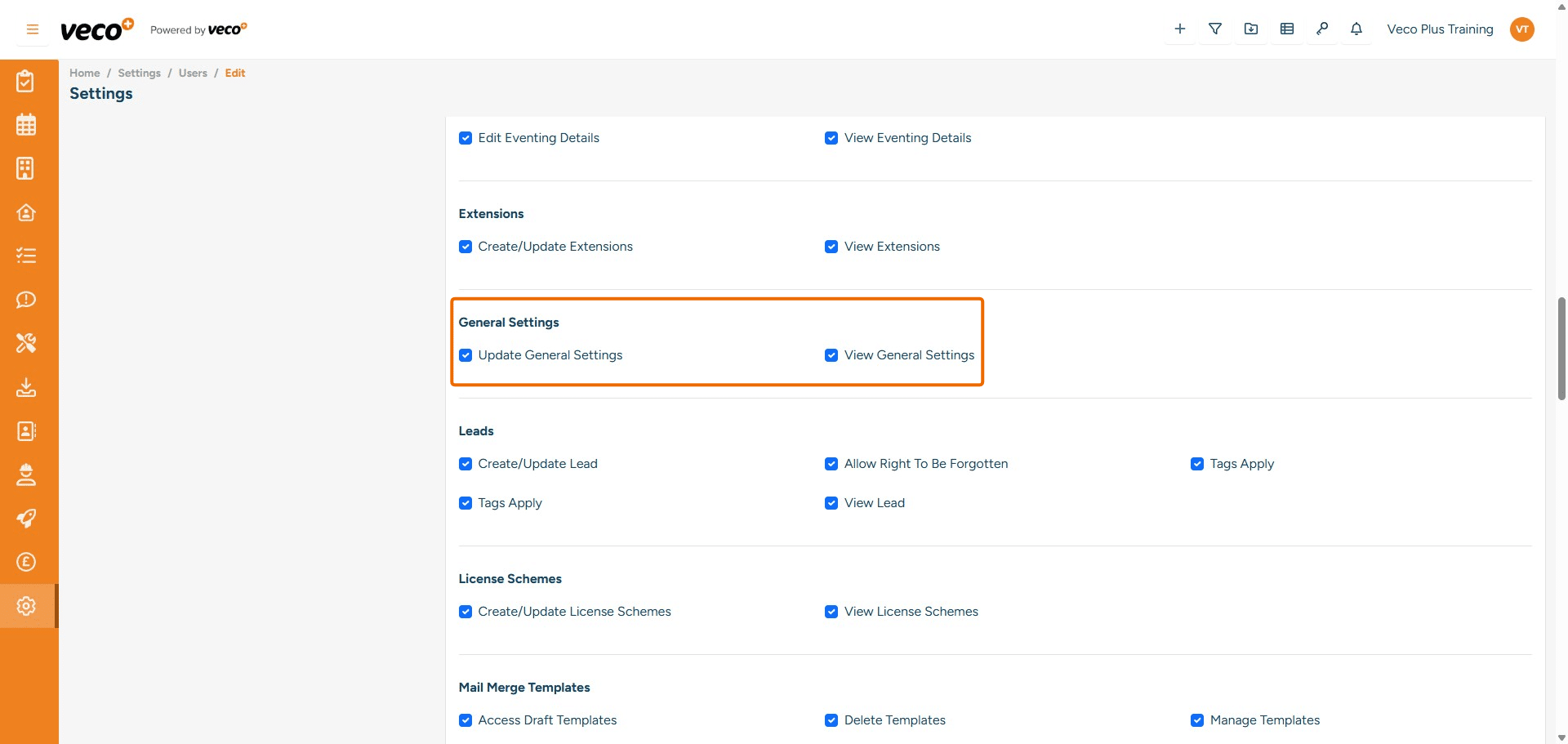
## General Settings
**Update General Settings** - Enables a user to update General Settings (under Settings > General). If this is not ticked, then the save button will be locked
**View General Settings** - 	Enables a user to view General Settings. If this is not ticked, General will not show in Settings
19

Leads

Create/Update Lead - Enables a user to create and update a Lead. If this is not ticked, the save button will be locked Allow Right To Be Forgotten - Enables a user to anonymise Leads. If this is not ticked, the Anonymise button will be locked Tags Apply - Enables a user to add tags. If this is not ticked, the user will not be able to view the drop-down list of tags View Lead - Enables a user to view all Leads on the grid. If this is not ticked, it will state you have incorrect permissions
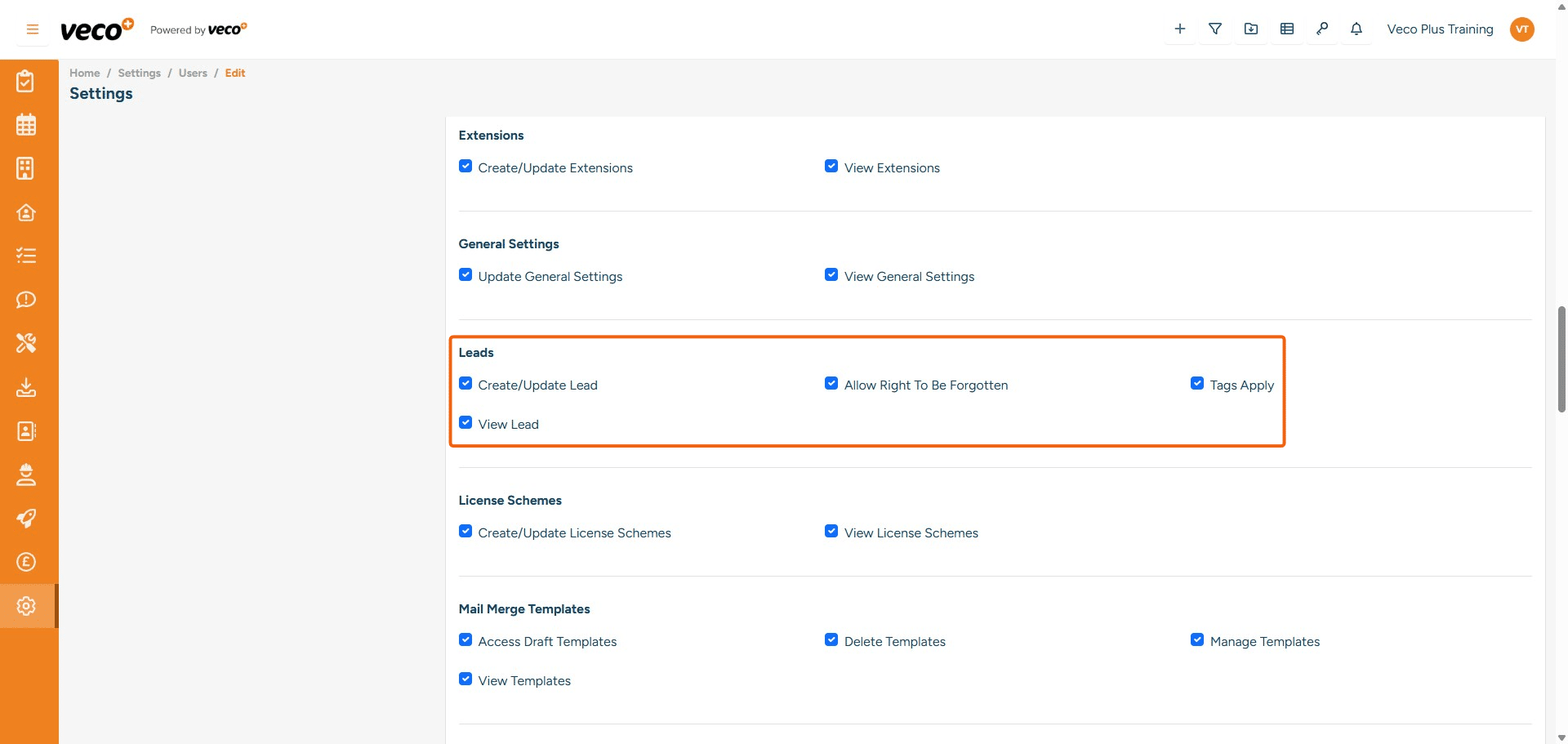
## Leads
**Create/Update Lead** - Enables a user to create and update a Lead. If this is not ticked, the save button will be locked
**Allow Right To Be Forgotten** - Enables a user to anonymise Leads. If this is not ticked, the Anonymise button will be locked
**Tags Apply** - Enables a user to add tags. If this is not ticked, the user will not be able to view the drop-down list of tags
**View Lead** - Enables a user to view all Leads on the grid. If this is not ticked, it will state you have incorrect permissions
20

License Schemes

Create/Update License Schemes - Enables a user to create and update License Schemes. If this is not ticked, it will lock the save button View License Schemes - Enables a user to view License Schemes in the Settings. If this is not ticked, 'License Schemes' will not be visible in Settings
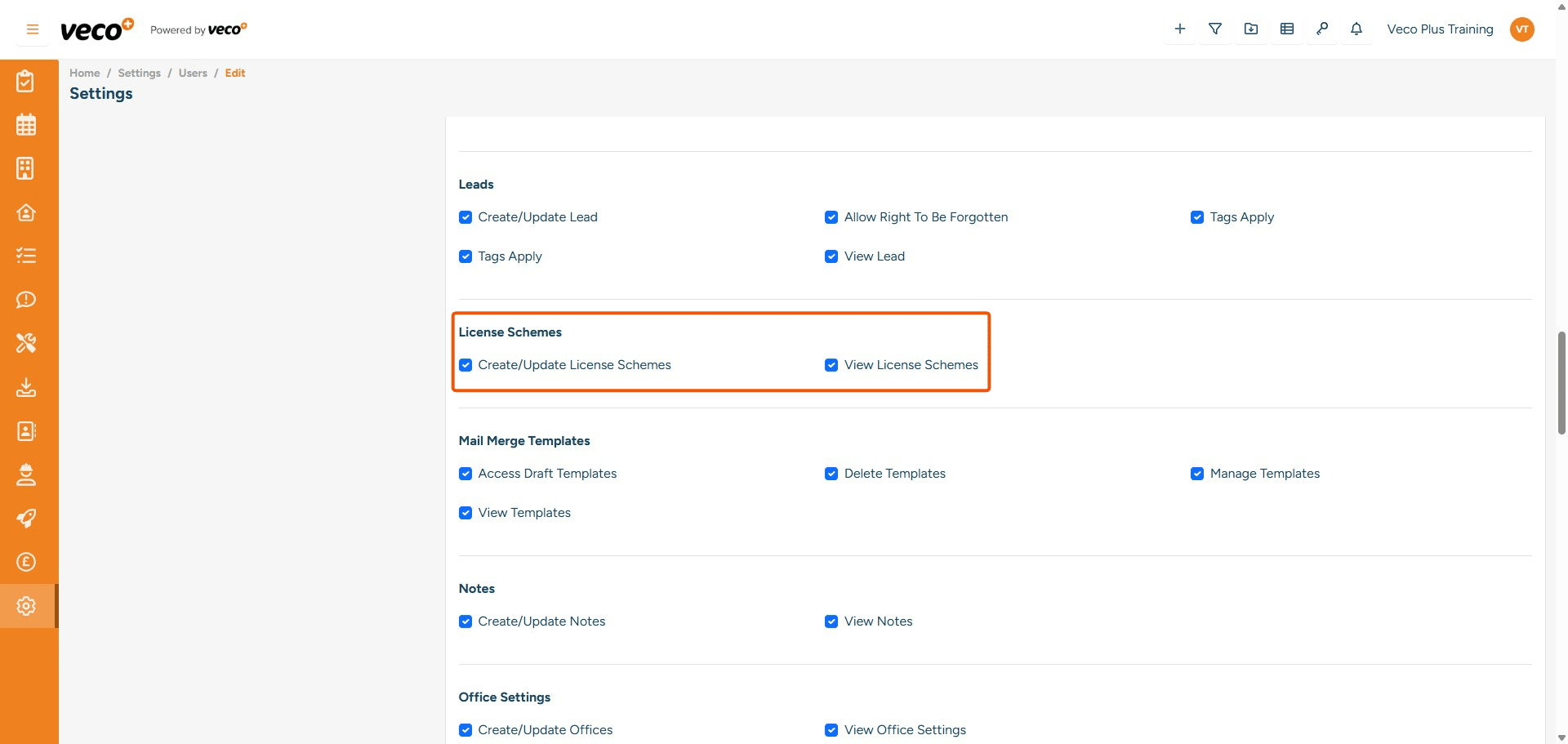
## License Schemes
**Create/Update License Schemes** - Enables a user to create and update License Schemes. If this is not ticked, it will lock the save button
**View License Schemes** - Enables a user to view License Schemes in the Settings. If this is not ticked, 'License Schemes' will not be visible in Settings
21

Mail Merge Templates

Access Draft Templates - Enables a user to access and run any draft document templates Delete Mail Merge - Enables a user to delete mail merge document templates. If this is not ticked, when the user tries to delete the template, it will state they are not authorised to perform this action Manage Templates - Enables a user to view mail merge document templates in 'Document & Clause Templates' under Settings. If this is not ticked, the user will not see 'Documents & Clause Templates' under Settings View Templates - Enable a user to view all mail merge document templates
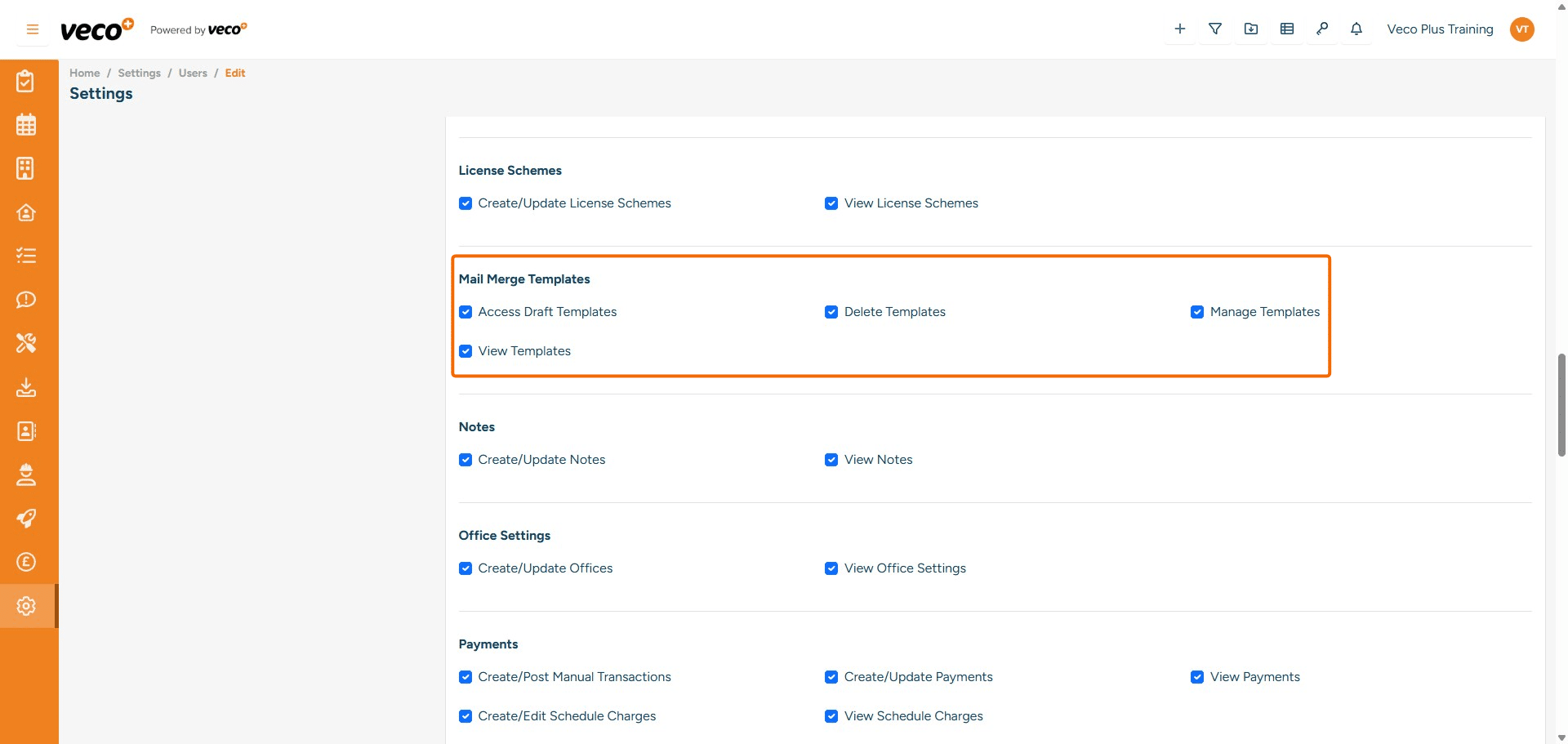
## Mail Merge Templates
**Access Draft Templates** - Enables a user to access and run any draft document templates 
**Delete Mail Merge** - Enables a user to delete mail merge document templates. If this is not ticked, when the user tries to delete the template, it will state they are not authorised to perform this action
**Manage Templates** - Enables a user to view mail merge document templates in 'Document & Clause Templates' under Settings. If this is not ticked, the user will not see 'Documents & Clause Templates' under Settings
**View Templates** - Enable a user to view all mail merge document templates
22

Notes

Create/Update Notes - Enables a user to create and update notes on a record. If this is not ticked, the save button will locked View Notes - Enables a user to view notes on a record. If this is not ticked, it will state that you are not authorised to perform this action
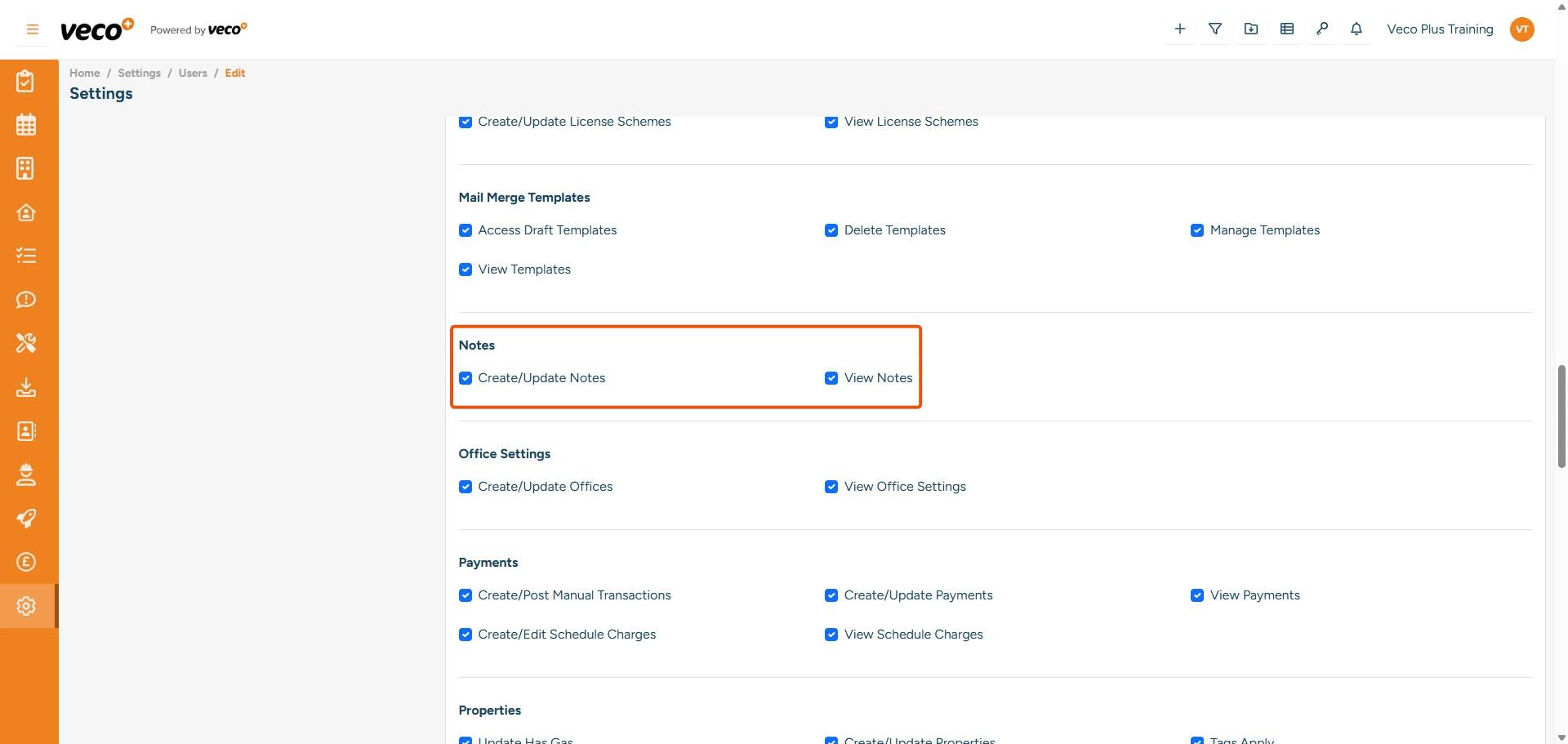
## Notes
**Create/Update Notes** - Enables a user to create and update notes on a record. If this is not ticked, the save button will locked
**View Notes** - Enables a user to view notes on a record. If this is not ticked, it will state that you are not authorised to perform this action
23

Office Settings

Create/Update Offices - Enables a user to create and update the 'Offices' under Settings. If this is not ticked, the save button will be locked View Offices - Enables a user to view 'Offices' under Settings. If this is not ticked, 'Offices' will be removed from Settings
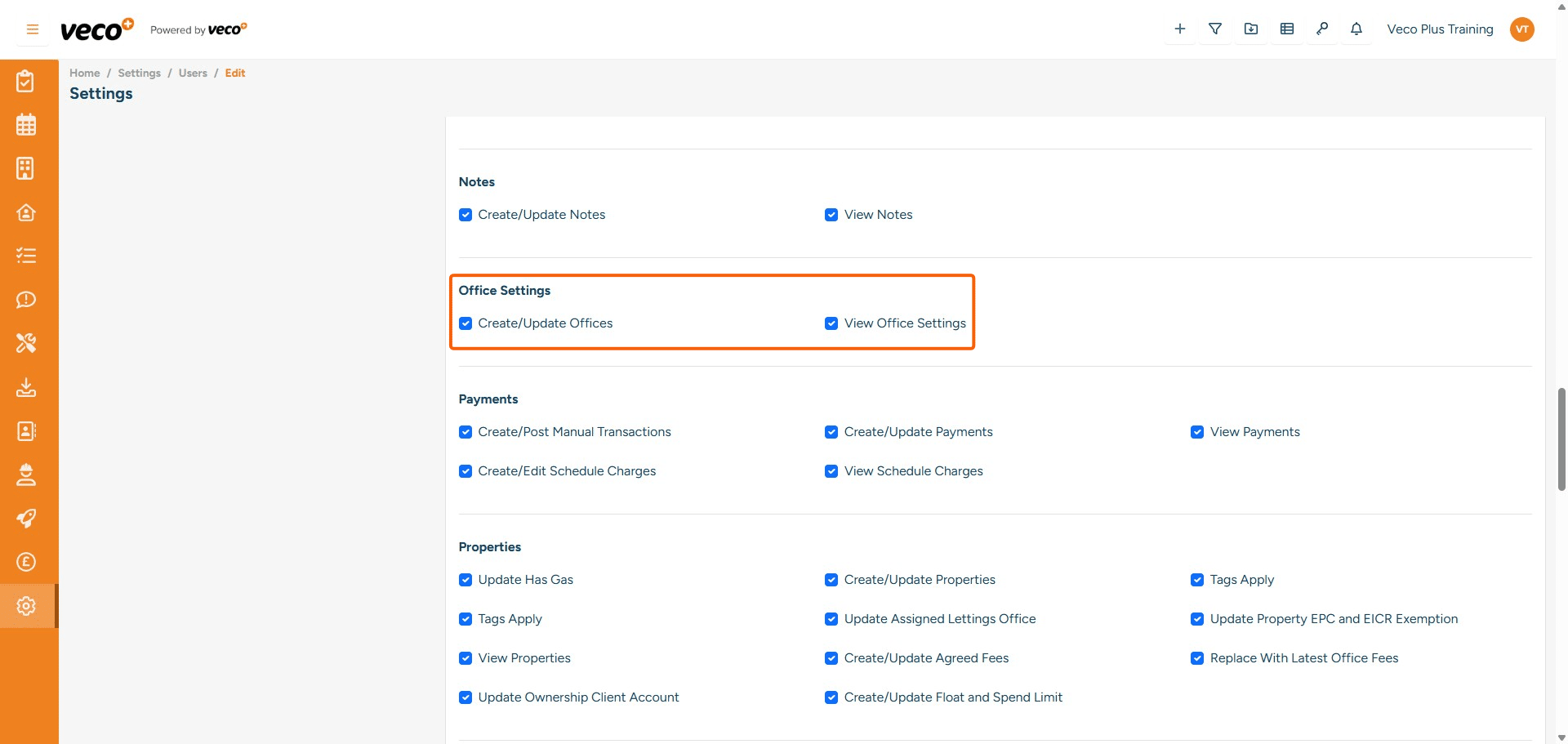
## Office Settings
**Create/Update Offices** - Enables a user to create and update the 'Offices' under Settings. If this is not ticked, the save button will be locked
**View Offices** - Enables a user to view 'Offices' under Settings. If this is not ticked, 'Offices' will be removed from Settings
24

Payments

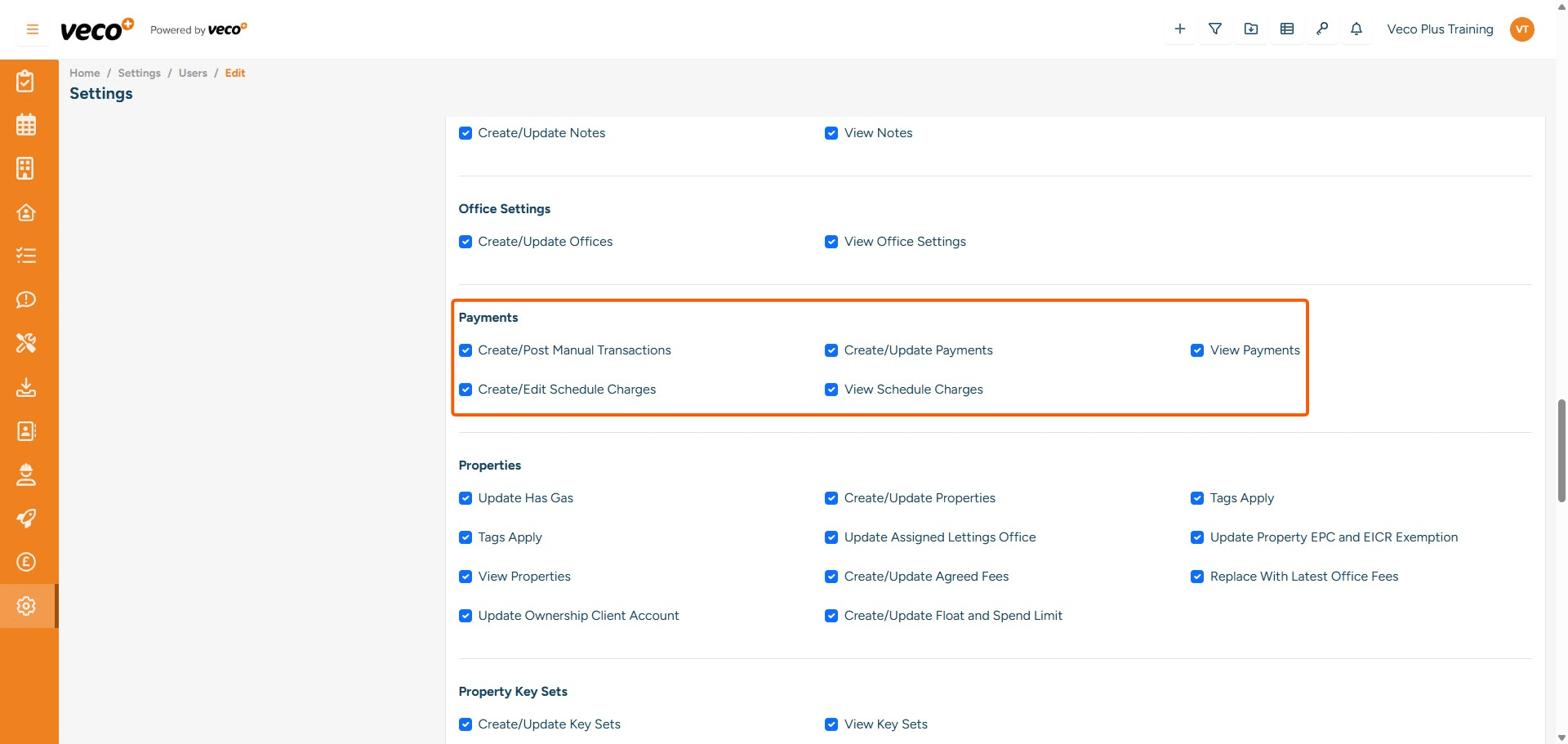
Create/Post Manual Transactions - Enables a user to create and post manual transactions. If this is not ticked, the save button will be locked Create/Update Payments - Enables a user to create and update payments. If this is not ticked, the user will not be able to load transactions View Payments - Enables a user to view Owner and Supplier payments Create/Edit Scheduled Charges Enables a user to create and edit scheduled charges. If this is not ticked, the save button will be locked View Scheduled Charges - Enables a user to view scheduled charges. If this is not ticked, the button will be greyed out
## Payments
**Create/Post Manual Transactions**	- Enables a user to create and post manual transactions. If this is not ticked, the save button will be locked
**Create/Update Payments** - Enables a user to create and update payments. If this is not ticked, the user will not be able to load transactions
**View Payments** - Enables a user to view Owner and Supplier payments
**Create/Edit Scheduled Charges** Enables a user to create and edit scheduled charges. If this is not ticked, the save button will be locked
**View Scheduled Charges** - Enables a user to view scheduled charges. If this is not ticked, the button will be greyed out
25

Properties

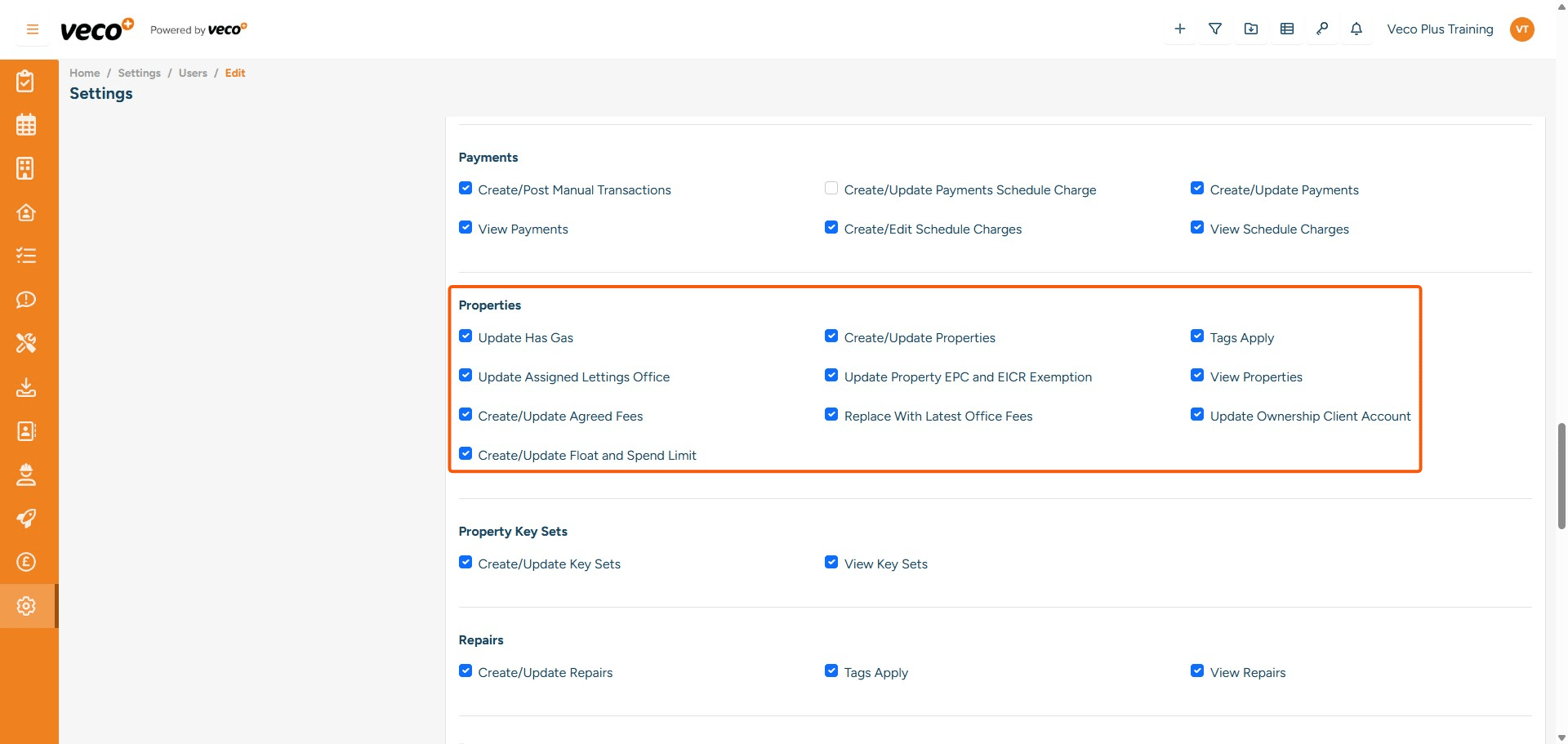
Update Has Gas - Enables a user to update 'Has Gas' on the property Create/Update Properties - Enables a user to create and update a property through the quick add icon on the header bar, or from the Properties grid. If this is not ticked, then these options will not be available Tags Apply - Enables a user to add tags. If this is not ticked, the user will not be able to view the drop-down list of tags Update Assigned Lettings Office - Enables a user to amend the Lettings Office on the property record. If this is not ticked, the dropdown list will be locked Update Property EPC and EICR Exemptions - Enables a user to mark a property as exempt from an EPC or EICR View Properties - Enables a user to view properties. If this is not ticked, the Properties grid will state that you have incorrect permissions Create/Update Agreed Fees - Enables a user to create and update Agreed Fees on a Property. If this is not ticked, the save button will be locked Replace With Latest Office Fees - Enables a user to Replace Agreed Fees. If this is not ticked, the Replace button is not visible Update Ownership Client Account - Enables the user to add a Bank Account to the Ownership. If this is not ticked, the user will not be able to add a Bank Account Create/Update Float and Spend Limit - Enables the user to create and update a Float and Spend Limit. If this is unticked, the save button will be locked
## Properties
**Update Has Gas** - Enables a user to update 'Has Gas' on the property
**Create/Update Properties** - Enables a user to create and update a property through the quick add icon on the header bar, or from the Properties grid. If this is not ticked, then these options will not be available
**Tags Apply** - Enables a user to add tags. If this is not ticked, the user will not be able to view the drop-down list of tags
**Update Assigned Lettings Office** - Enables a user to amend the Lettings Office on the property record. If this is not ticked, the dropdown list will be locked
**Update Property EPC and EICR Exemptions** - Enables a user to mark a property as exempt from an EPC or EICR
**View Properties** - Enables a user to view properties. If this is not ticked, the Properties grid will state that you have incorrect permissions
**Create/Update Agreed Fees** - Enables a user to create and update Agreed Fees on a Property. If this is not ticked, the save button will be locked
**Replace With Latest Office Fees** - Enables a user to Replace Agreed Fees. If this is not ticked, the Replace button is not visible
**Update Ownership Client Account** - 	Enables the user to add a Bank Account to the Ownership. If this is not ticked, the user will not be able to add a Bank Account
**Create/Update Float and Spend Limit** - Enables the user to create and update a Float and Spend Limit. If this is unticked, the save button will be locked
26

Property Key Sets

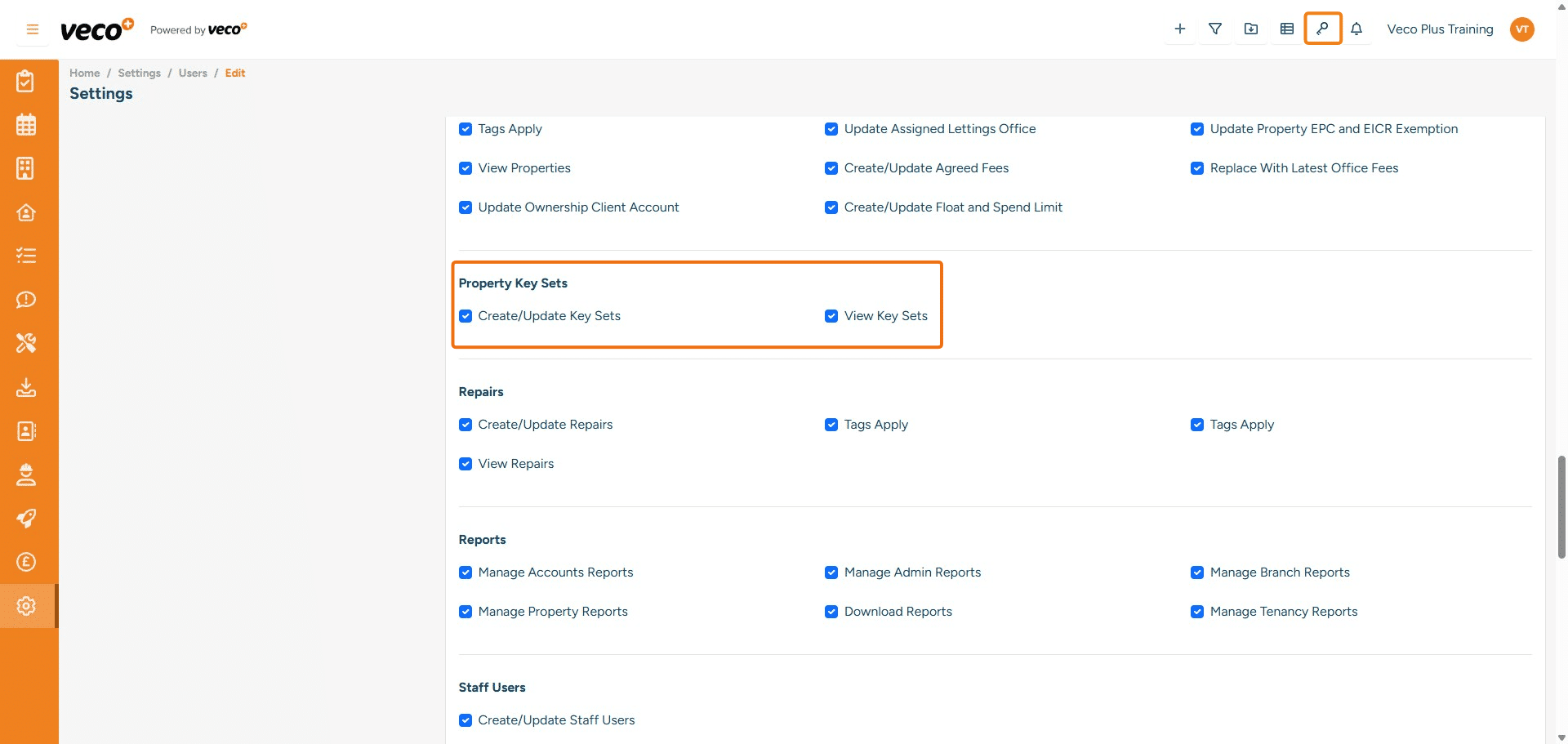
Create/Update Key Sets - Enables a user to create and update key sets. If this is not ticked, the save button will be locked View Key Sets - Enables a user to see the 'Key Sets' icon on the header bar (marked in the screen hot below), and will allow the user to view all key sets. If this is not ticked, the 'Key Sets' icon will not be visible
## Property Key Sets
**Create/Update Key Sets** - Enables a user to create and update key sets. If this is not ticked, the save button will be locked
**View Key Sets** - Enables a user to see the 'Key Sets' icon on the header bar (marked in the screen hot below), and will allow the user to view all key sets. If this is not ticked, the 'Key Sets' icon will not be visible
27

Repairs

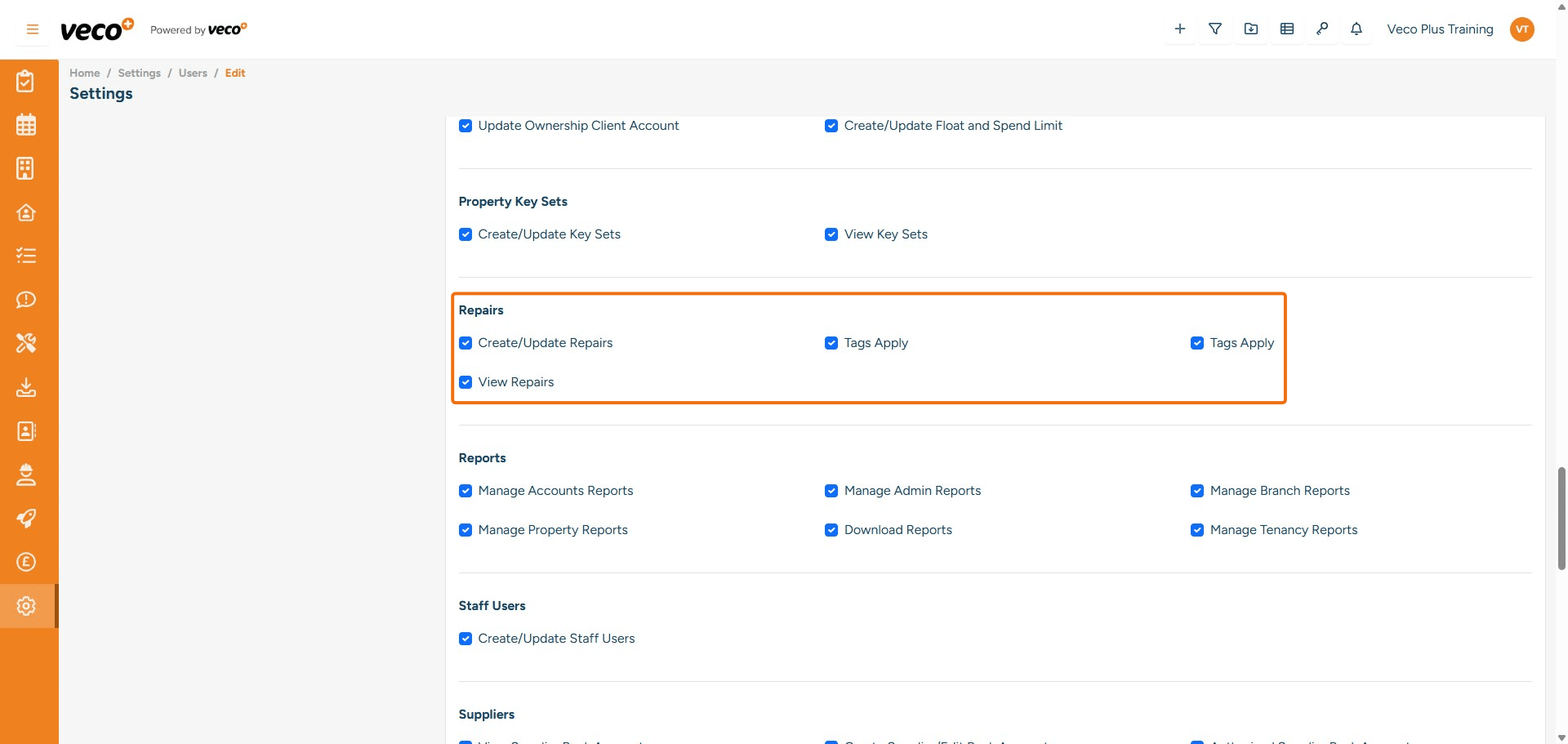
Create/Update Repairs - Enables a user to create and update Repairs. If this is not ticked, the save button will be locked Views Repairs - Enables a user to view all Repairs. If this is not ticked, it will state you have incorrect permissions Tags Apply - Enables a user to add tags. If this is not ticked, the user will not be able to view the drop-down list of tags
## Repairs
**Create/Update Repairs** - Enables a user to create and update Repairs. If this is not ticked, the save button will be locked
**Views Repairs** - Enables a user to view all Repairs. If this is not ticked, it will state you have incorrect permissions
**Tags Apply** - Enables a user to add tags. If this is not ticked, the user will not be able to view the drop-down list of tags
28

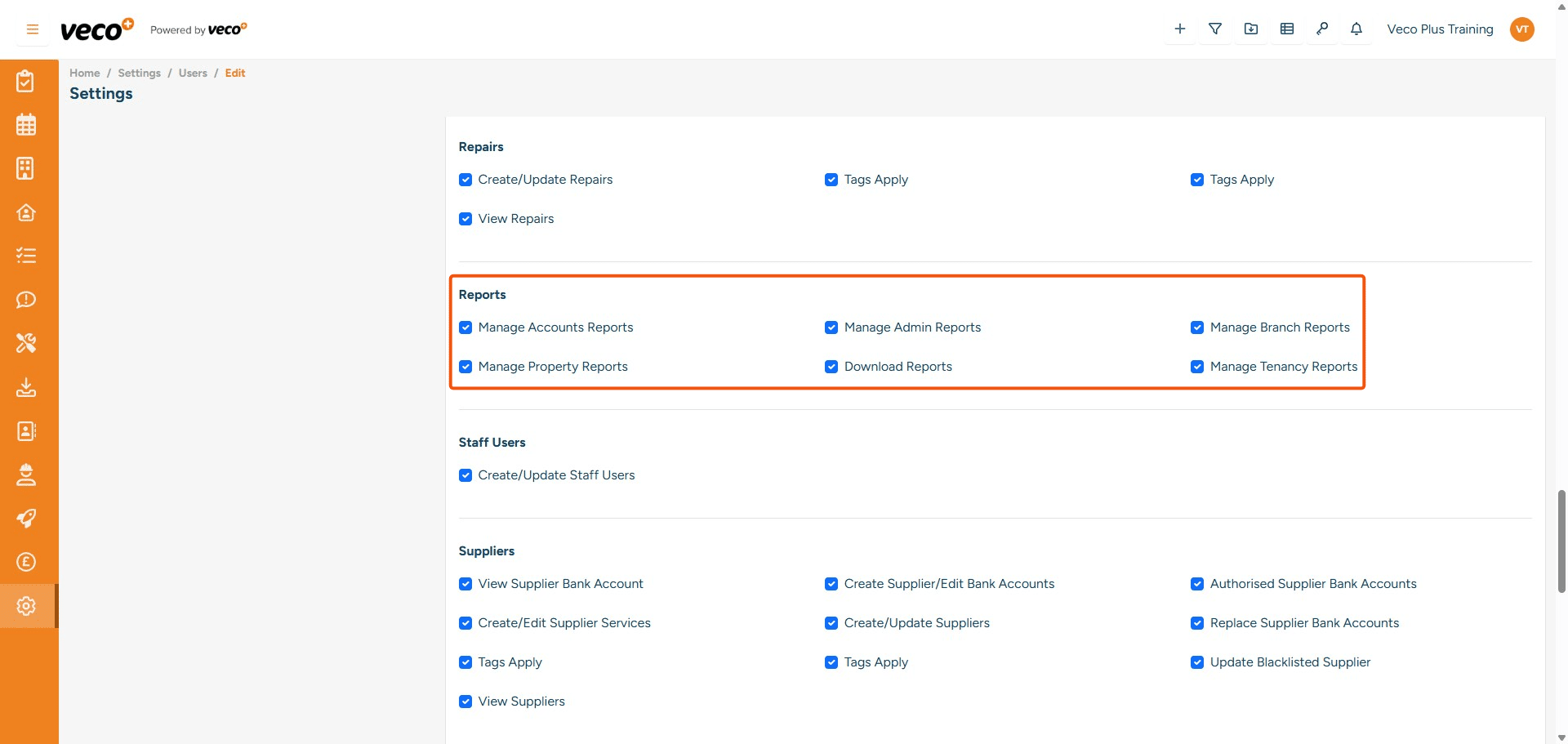
Reports

Manage Accounts Reports - Enables a user to run Accounts Reports. If this is not ticked, it will state that no reports are available Manage Admin Reports - Enables a user to run Admin Reports. If this is not ticked, it will show that no reports are available Manage Branch Reports - Enables a user to run Branch Reports. If this is not ticked, it will show that no reports are available Manage Property Reports - Enables a user to run Property Reports. If this is not ticked, it will show that no reports are available Download Reports - Enables a user to Download Reports. If this is not ticked, it will state you are not authorised to perform this action Manage Tenancy Reports - Enables a user to run Tenancy Reports. If this is not ticked, it will show that no reports are available
## Reports
**Manage Accounts Reports** - Enables a user to run Accounts Reports. If this is not ticked, it will state that no reports are available
**Manage Admin Reports** - Enables a user to run Admin Reports. If this is not ticked, it will show that no reports are available
**Manage Branch Reports** - 	Enables a user to run Branch Reports. If this is not ticked, it will show that no reports are available
**Manage Property Reports** - Enables a user to run Property Reports. If this is not ticked, it will show that no reports are available
**Download Reports** - Enables a user to Download Reports. If this is not ticked, it will state you are not authorised to perform this action
**Manage Tenancy Reports** - Enables a user to run Tenancy Reports. If this is not ticked, it will show that no reports are available
29

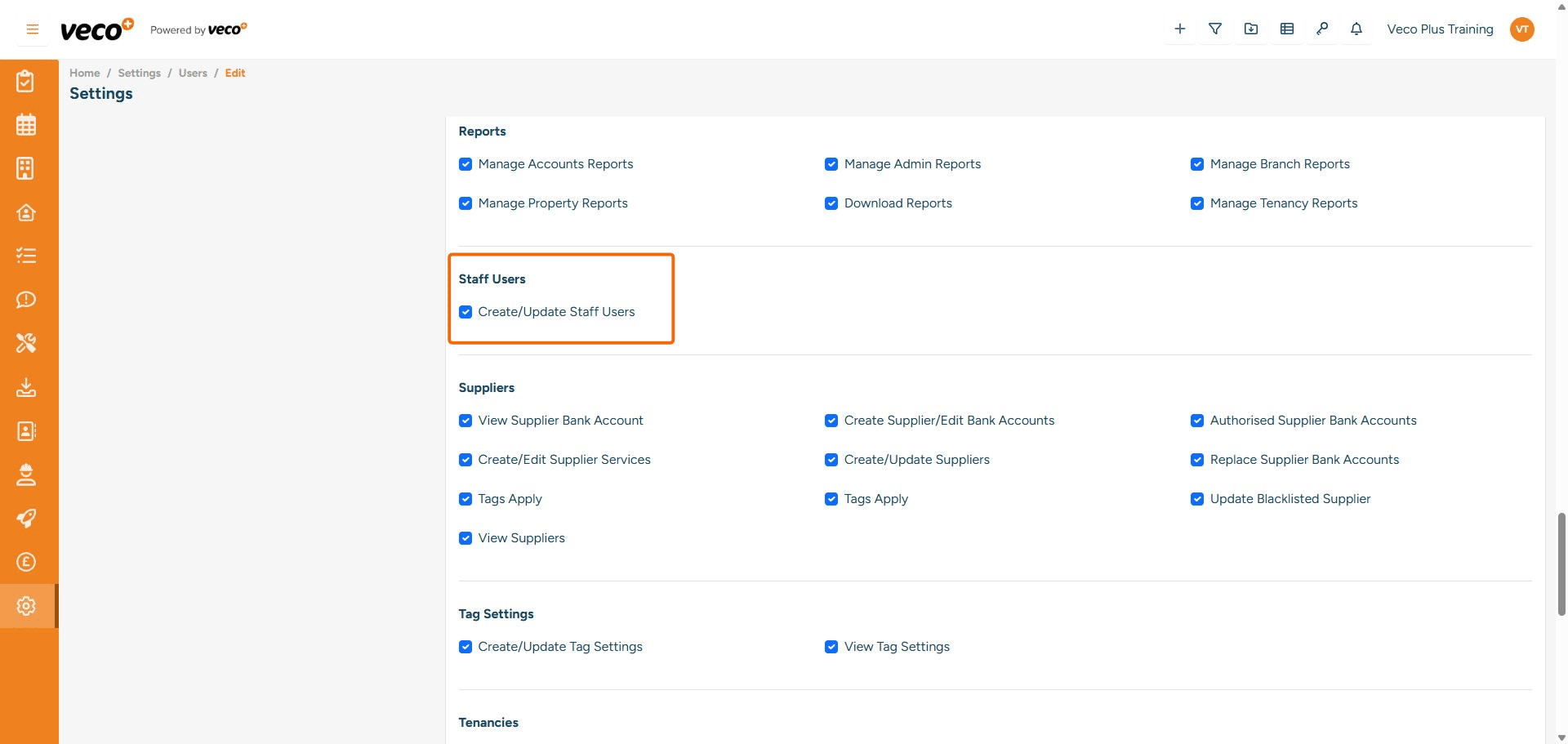
Staff Users

Create/Update Staff Users - Enables a user to create and update Staff users. If this is not ticked, the save button will be locked
## Staff Users
**Create/Update Staff Users** - Enables a user to create and update Staff users. If this is not ticked, the save button will be locked
30

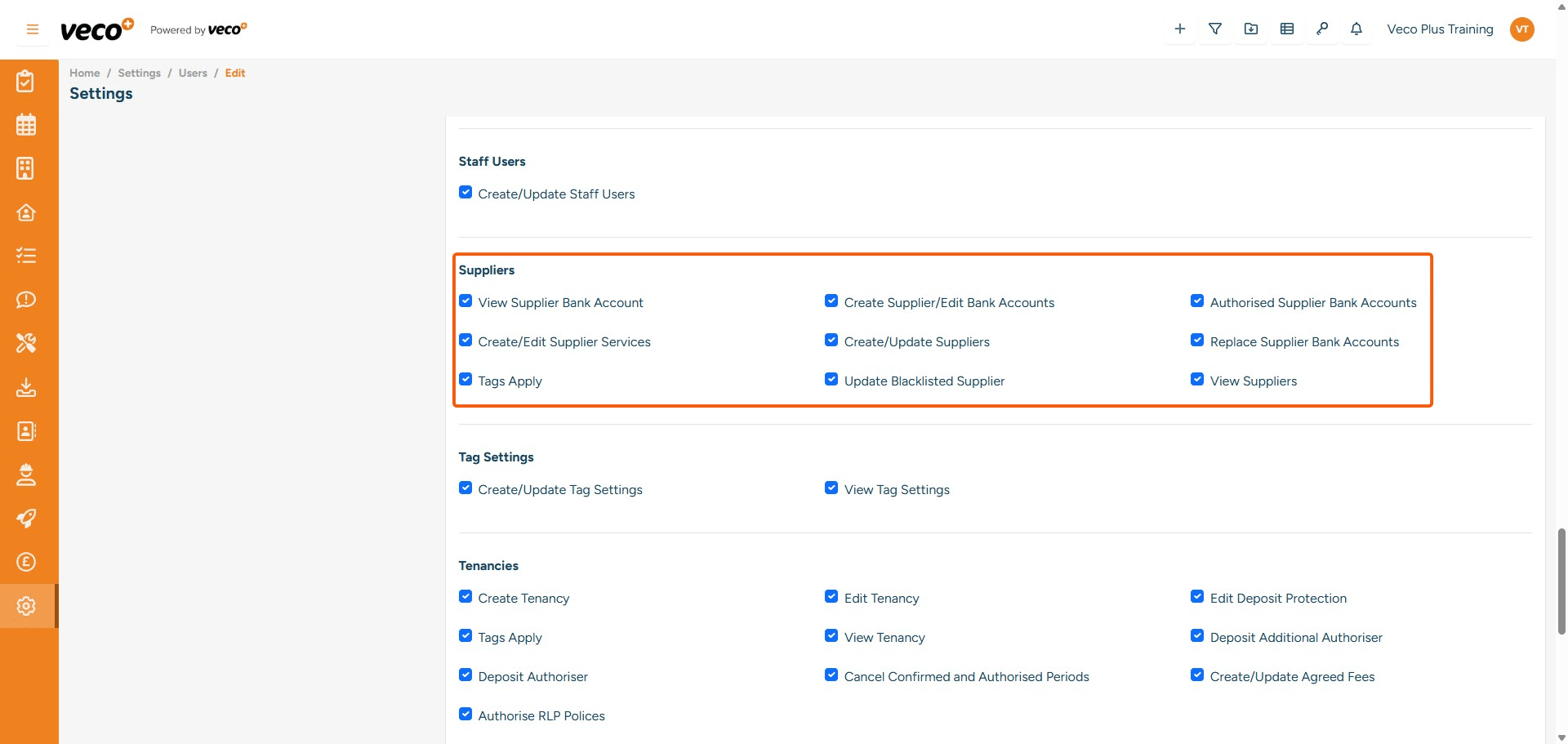
Suppliers

View Supplier Bank Account - Enables a user to view the supplier's bank details Create Supplier/Edit Bank Accounts - Enables a user to create and edit supplier account details. If this is not ticked, the save button will be locked Authorised Supplier Bank Accounts - Enables a user to authorise bank details added by another user. If this is not ticked, it will not give the user the option to authorise Create/Edit Supplier Services - Enables a user to create and update the Services on the Supplier record. If this is not ticked, the save button will be locked when you add a new service Create/Update Suppliers - Enables a user to create and update a supplier. If this is not ticked, the save button will be locked Replace Supplier Bank Accounts - Enables a user to replace supplier bank details. If this is not ticked, the save button will be locked Tags Apply - Enables a user to add tags. If this is not ticked, they will not be able to view the drop-down list Update Blacklisted Supplier - Enables a user to tick the Supplier as being Blacklisted. If this is not ticked, this button will be locked View Suppliers - Enables a user to view Suppliers. If this is not ticked, the user will not be able to view the Suppliers on the grid
## Suppliers
**View Supplier Bank Account** - Enables a user to view the supplier's bank details
**Create Supplier/Edit Bank Accounts** - Enables a user to create and edit supplier account details. If this is not ticked, the save button will be locked
**Authorised Supplier Bank Accounts** - Enables a user to authorise bank details added by another user. If this is not ticked, it will not give the user the option to authorise
**Create/Edit Supplier Services** - Enables a user to create and update the Services on the Supplier record. If this is not ticked, the save button will be locked when you add a new service
**Create/Update Suppliers** - Enables a user to create and update a supplier. If this is not ticked, the save button will be locked
**Replace Supplier Bank Accounts** - Enables a user to replace supplier bank details. If this is not ticked, the save button will be locked
**Tags Apply** - Enables a user to add tags. If this is not ticked, they will not be able to view the drop-down list
**Update Blacklisted Supplier** - Enables a user to tick the Supplier as being Blacklisted. If this is not ticked, this button will be locked
**View Suppliers** - Enables a user to view Suppliers. If this is not ticked, the user will not be able to view the Suppliers on the grid
31

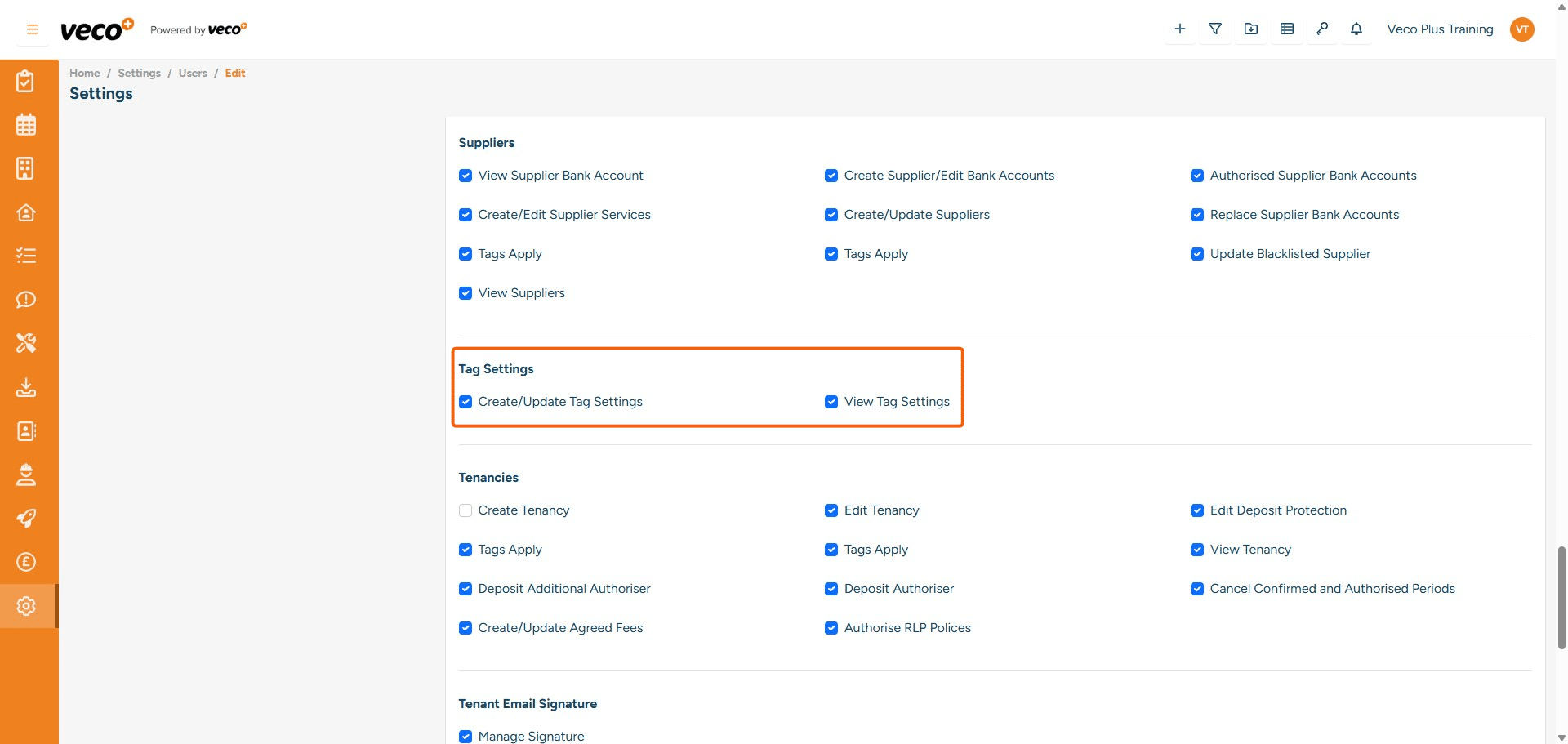
Tag Settings

Create/Update Tag Settings - Enables a user to create and update 'Tags' under Settings. If this is not ticked, the save button will be locked View Tag Settings - Enables a user to view 'Tags' under Settings. If this is not ticked, 'Tags' won't be visible under Settings
## Tag Settings
**Create/Update Tag Settings** - Enables a user to create and update 'Tags' under Settings. If this is not ticked, the save button will be locked
**View Tag Settings** - Enables a user to view 'Tags' under Settings. If this is not ticked, 'Tags' won't be visible under Settings
32

Tenancies

Create Tenancy - Enables a user to create a Tenancy to a Property. If this is not ticked, then the save button will be locked Edit Tenancy - Enables a user to edit the tenancy. If this is not ticked, if the user tries to edit the Tenancy on save, it will state you are not authorised to perform this action Edit Deposit Protection - Enables a user to make changes to the Deposit Protection tab on the Tenancy. If this is not ticked, the save button will be locked Tags Apply - Enables a user to add tags. If this is not ticked, they will not be able to view the drop-down list View Tenancy - Enables a user to view all Tenancies in the Tenancy grid. If not ticked, it will state you have incorrect permissions Deposit Additional Authoriser - Enables a user to tick the 'Deposit release confirmed' tick box Deposit Authoriser - Enables a user to tick the Deposit Authorise button. If this is not ticked, this tick box will be greyed out Cancel Confirmed and Authorised Periods - Enables a user to tick cancel on a confirmed or accounts authorised tenancy period. If this is not ticked, they will not be able to tick cancel and will see a permissions message on save Create/Update Agreed Fees - Enables a user to create and edit Agreed Fees on the Tenancy. If this is not ticked, the save button will be locked Authorise RLP Polices - Enables a user to tick the Authorise RLP Policy button. If this is unticked, this tick box will be greyed out
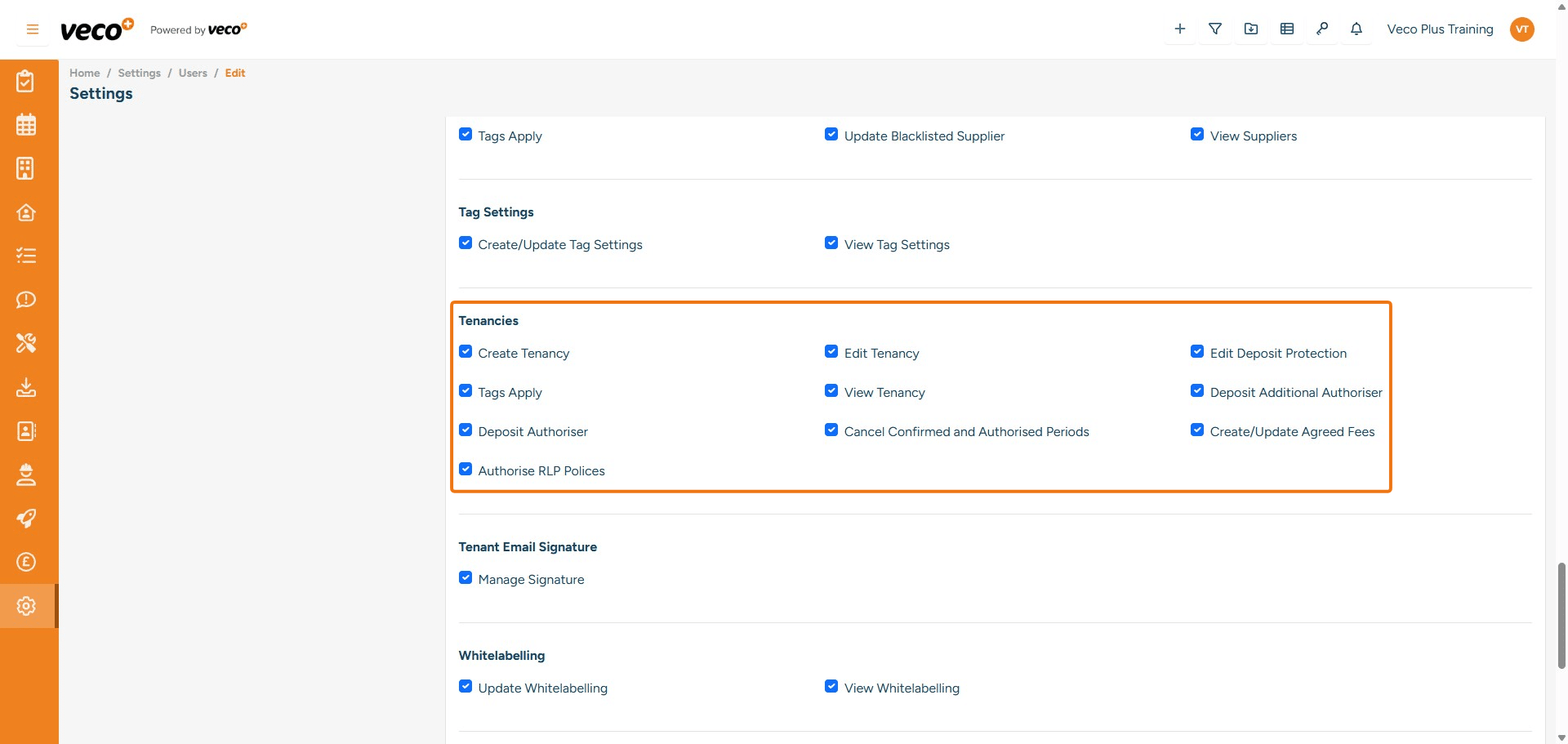
## Tenancies
**Create Tenancy** - Enables a user to create a Tenancy to a Property. If this is not ticked, then the save button will be locked 
**Edit Tenancy** - Enables a user to edit the tenancy. If this is not ticked, if the user tries to edit the Tenancy on save, it will state you are not authorised to perform this action
**Edit Deposit Protection** - Enables a user to make changes to the Deposit Protection tab on the Tenancy. If this is not ticked, the save button will be locked
**Tags Apply** - Enables a user to add tags. If this is not ticked, they will not be able to view the drop-down list
**View Tenancy** - Enables a user to view all Tenancies in the Tenancy grid. If not ticked, it will state you have incorrect permissions
**Deposit Additional Authoriser** - Enables a user to tick the 'Deposit release confirmed' tick box
**Deposit Authoriser** - Enables a user to tick the Deposit Authorise button. If this is not ticked, this tick box will be greyed out
**Cancel Confirmed and Authorised Periods** - Enables a user to tick cancel on a confirmed or accounts authorised tenancy period. If this is not ticked, they will not be able to tick cancel and will see a permissions message on save 
**Create/Update Agreed Fees** - Enables a user to create and edit Agreed Fees on the Tenancy. If this is not ticked, the save button will be locked
**Authorise RLP Polices** - Enables a user to tick the Authorise RLP Policy button. If this is unticked, this tick box will be greyed out
33

Tenant Email Signature

Manage Signature - Enables a user to create and update the Email Signature in 'General' under Settings. If this is not ticked, it will state you are not authorised to perform this action
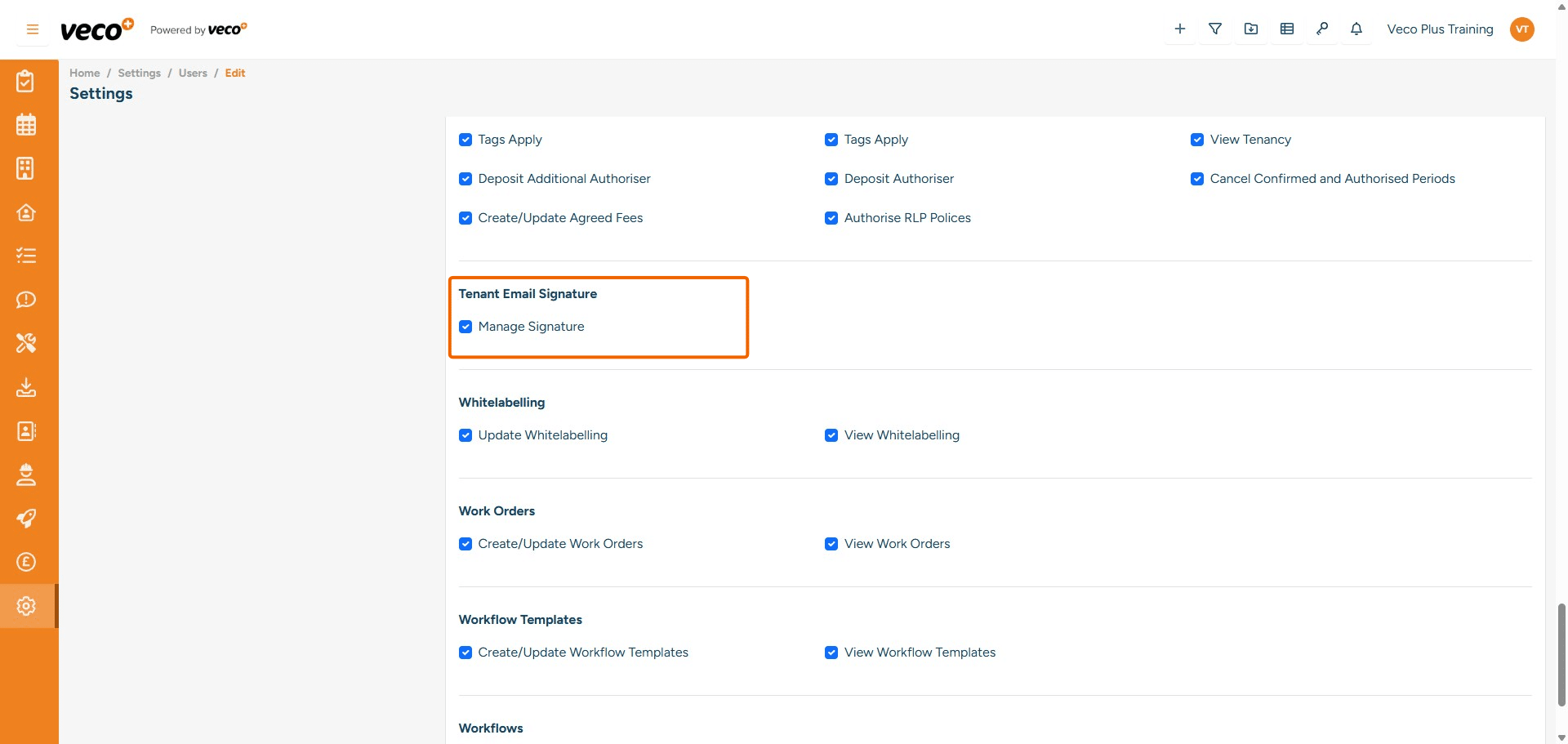
## Tenant Email Signature
**Manage Signature** - Enables a user to create and update the Email Signature in 'General' under Settings. If this is not ticked, it will state you are not authorised to perform this action
34

White Labelling

Update Whitelabelling - Enables a user to update the 'White Labelling' under Settings (logo in the upper left corner and colour scheme etc) View Whitelabelling - Enables a user to view the White Labelling. If this is not ticked, 'White Labelling' will not be visible under Settings
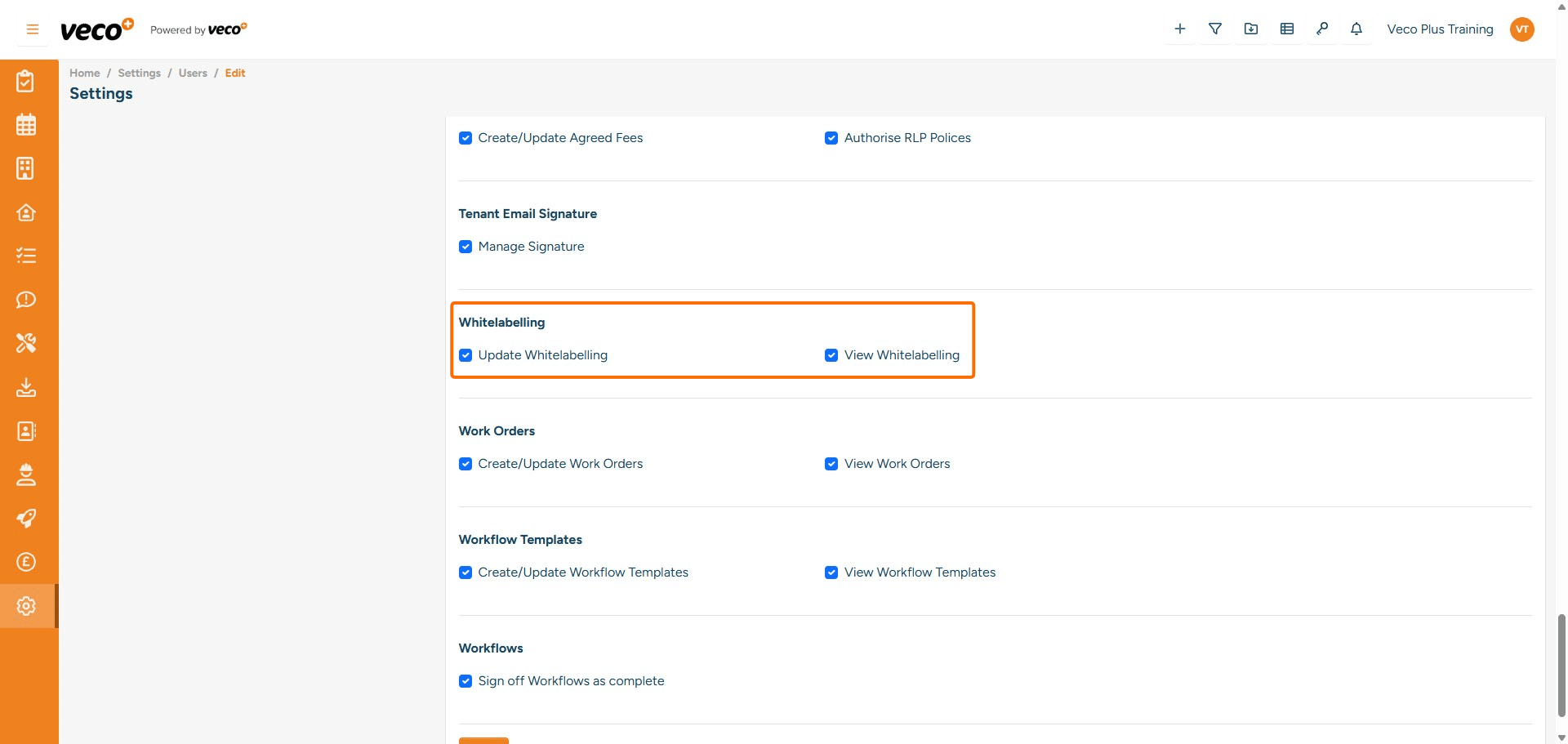
## White Labelling
**Update Whitelabelling** - Enables a user to update the 'White Labelling' under Settings (logo in the upper left corner and colour scheme etc) 
**View Whitelabelling** - Enables a user to view the White Labelling. If this is not ticked, 'White Labelling' will not be visible under Settings
35

Work Orders

Create/Update Work Orders - Enables a user to create and update a Work Order. If this is not ticked, the save button will be locked View Work Orders - Enables a user to view Work Orders in the grid. If this is not ticked, it will state incorrect permissions
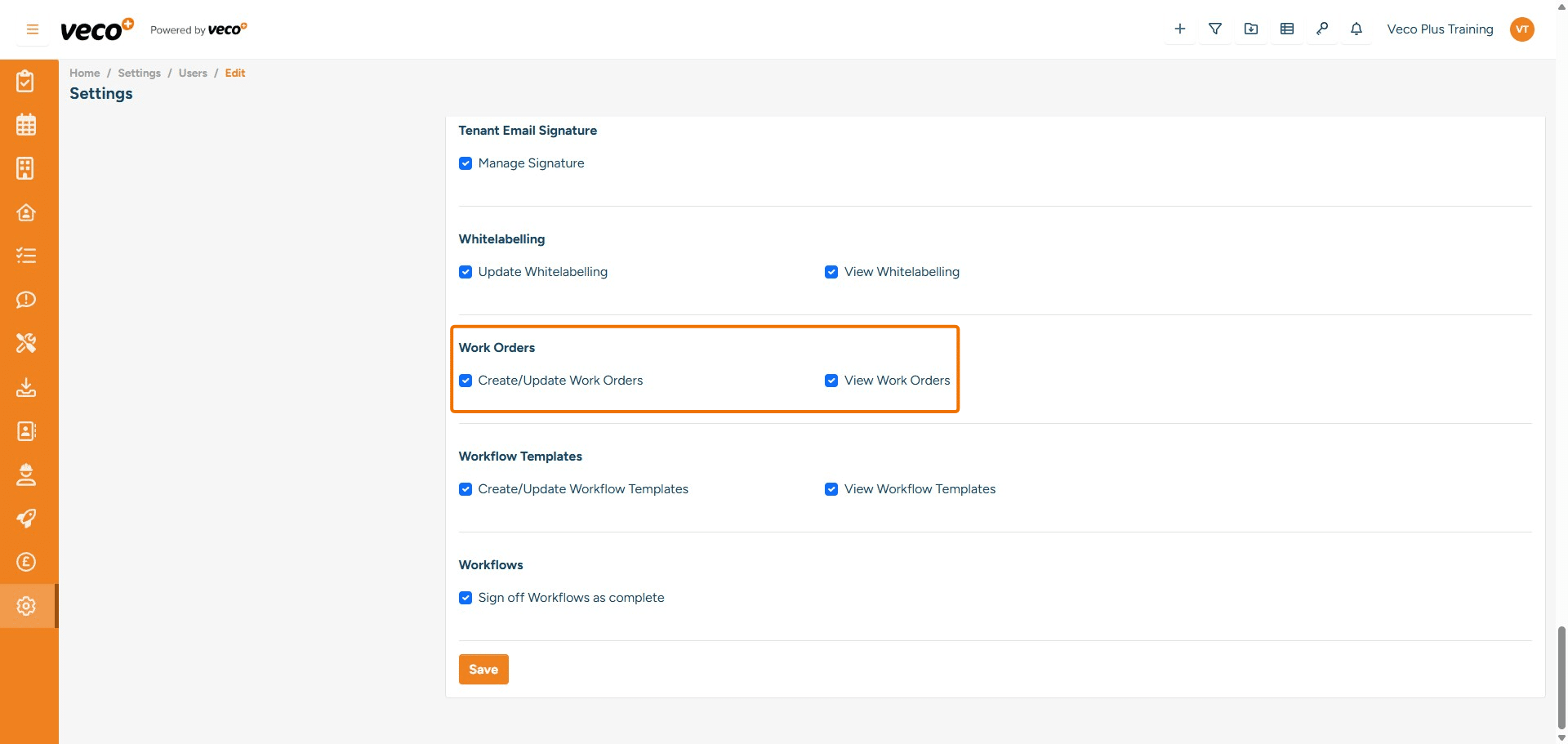
## Work Orders
**Create/Update Work Orders**	- Enables a user to create and update a Work Order. If this is not ticked, the save button will be locked
**View Work Orders** - Enables a user to view Work Orders in the grid. If this is not ticked, it will state incorrect permissions
36

Workflow Templates

Create/Update Workflow Templates - Enables a user to update and create a Workflow Templates. If this is not ticked, it will state you are not authorised to perform this action View Workflow Templates - Enables a user to view 'Workflows' under Settings. If this is not ticked, 'Workflows Templates' will not be visible under Settings
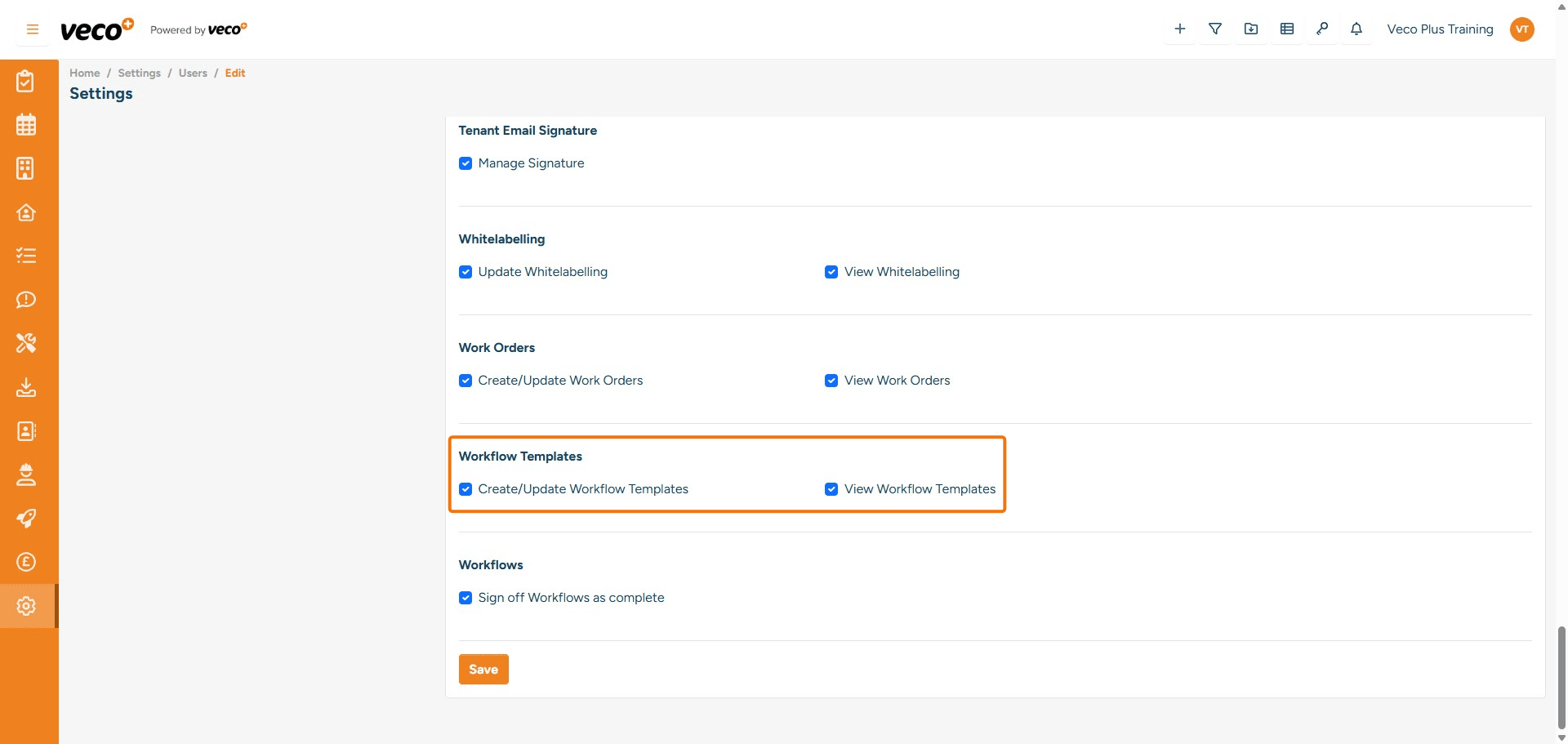
## Workflow Templates
**Create/Update Workflow Templates** - Enables a user to update and create a Workflow Templates. If this is not ticked, it will state you are not authorised to perform this action
**View Workflow Templates** - Enables a user to view 'Workflows' under Settings. If this is not ticked, 'Workflows Templates' will not be visible under Settings
37

Workflows

Sign Off Workflows as Completed - Enables a user to complete the Workflow once all tasks have been completed. If this is not ticked, this button will not be visible
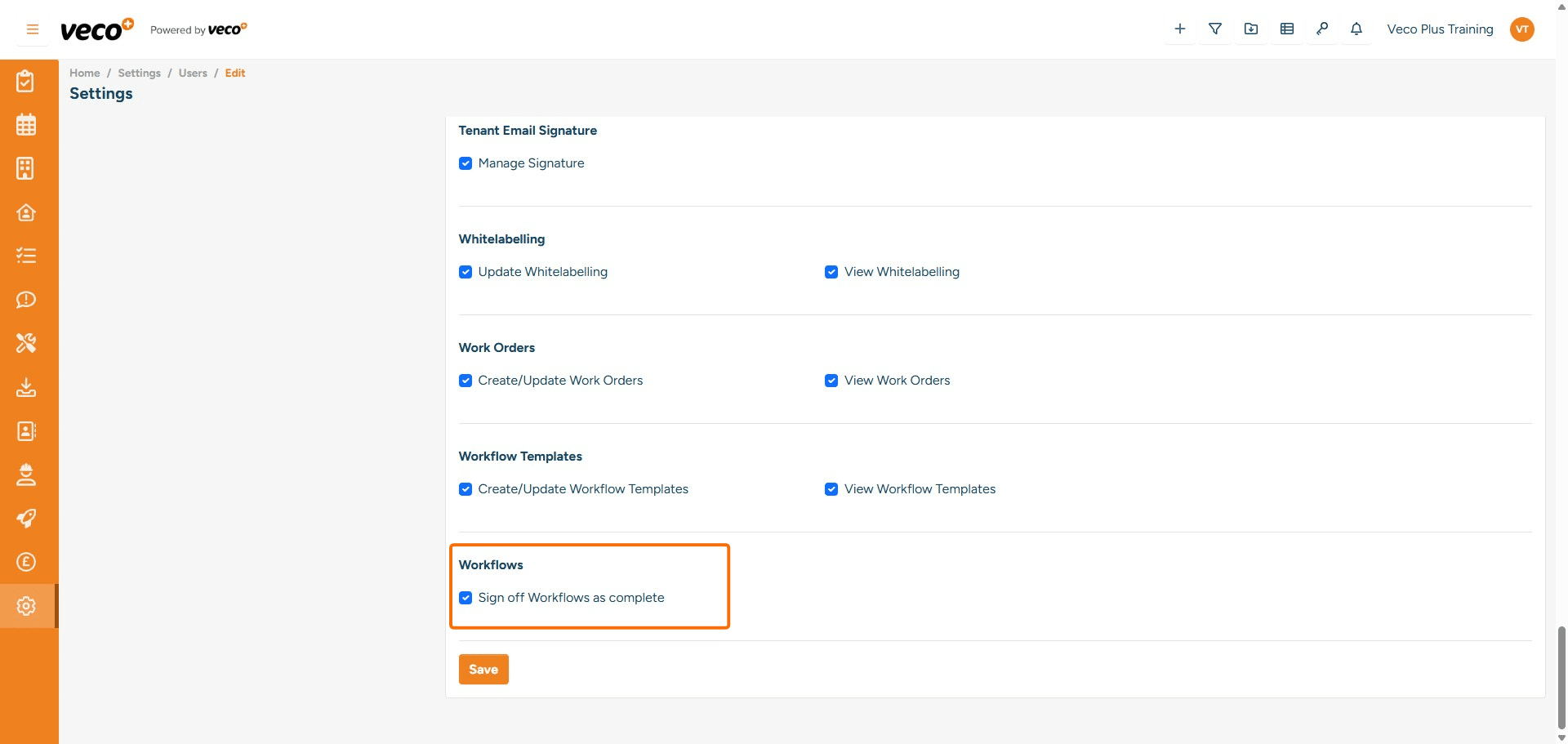
## Workflows
**Sign Off Workflows as Completed** - Enables a user to complete the Workflow once all tasks have been completed. If this is not ticked, this button will not be visible